Your teams of agents,
running securely.
Run a fleet of coding agents on your Mac, each in its own Linux VM. Brief them together. Reach them from anywhere. Your secrets stay out of their reach.
DownloadApple Silicon · macOS 14 or later · Free & open sourceThey did not run Bromure Agentic Coding


One brief. A whole team on it.
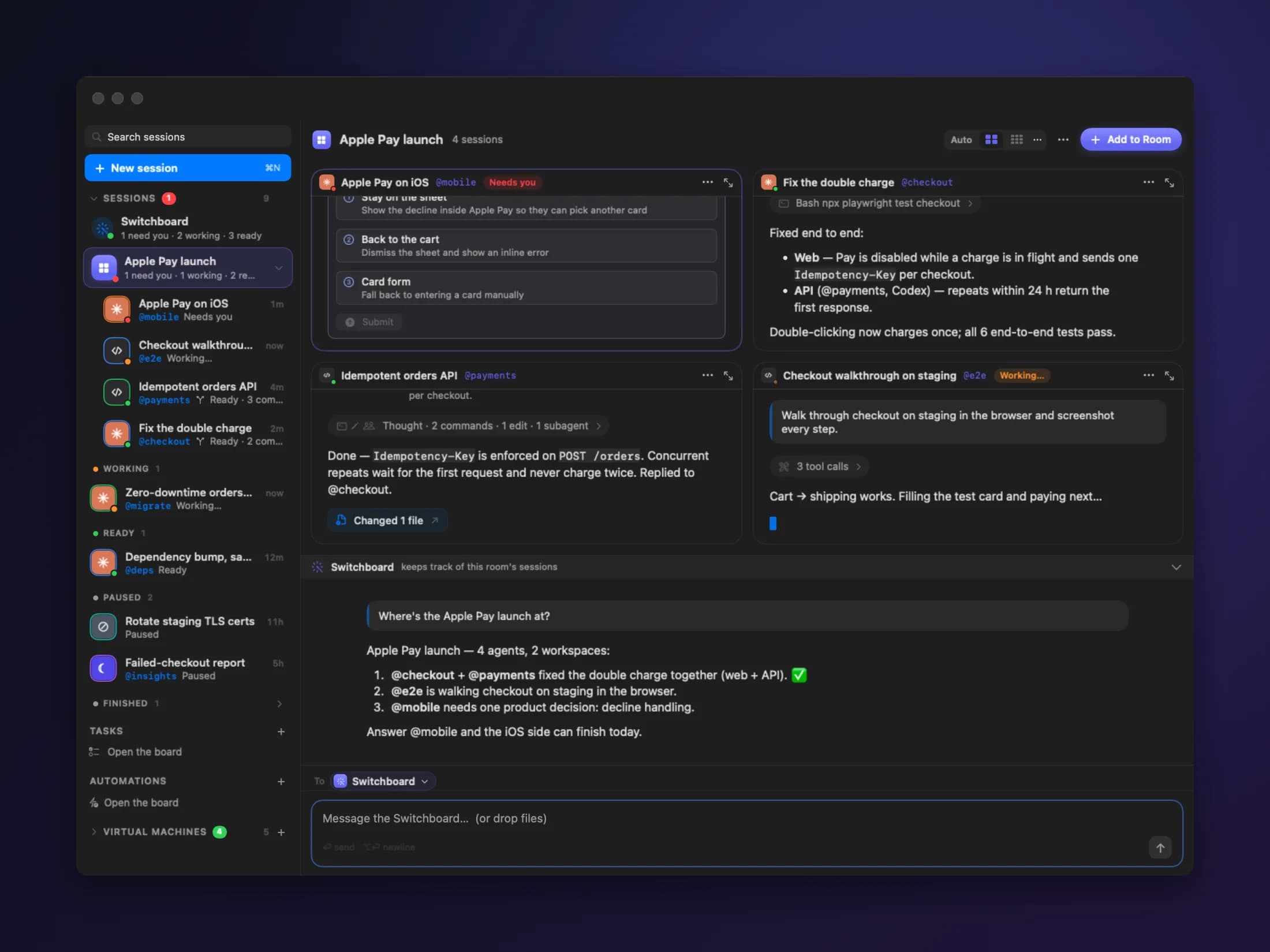
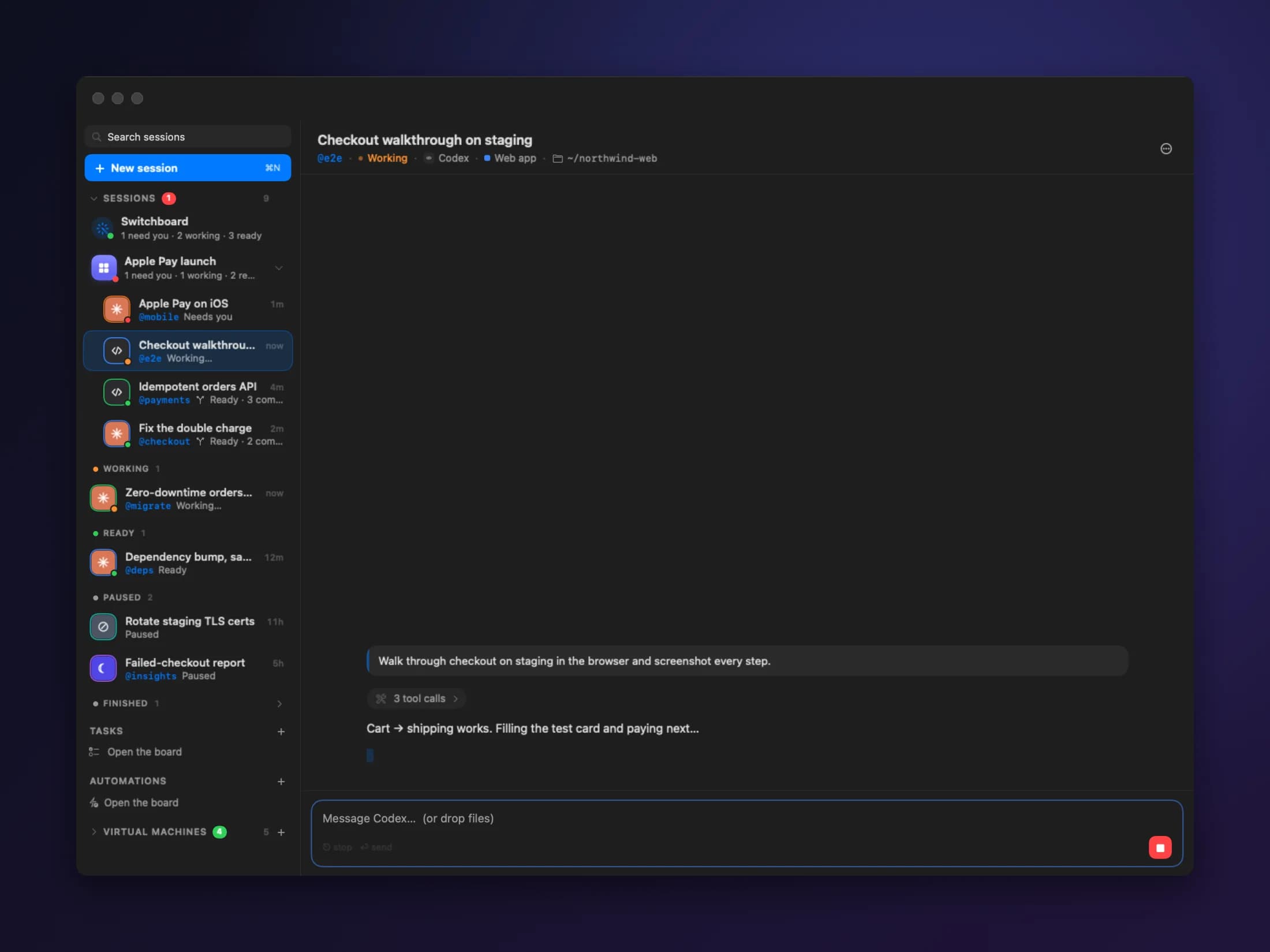
Run Claude Code, Codex, Grok, Kimi Code and Oh My Pi side by side. Drag one session onto another to make a room. Write one brief, and the room gets to work.
Drag to team up
Drop one session on another. Now they share a room, side by side.
One brief for everyone
Message one agent, or the room's Switchboard to reach them all.
Agents that talk
Agents ask each other for help by name. You don't have to pass anything along.
Leave the Mac at home. Take the agents with you.
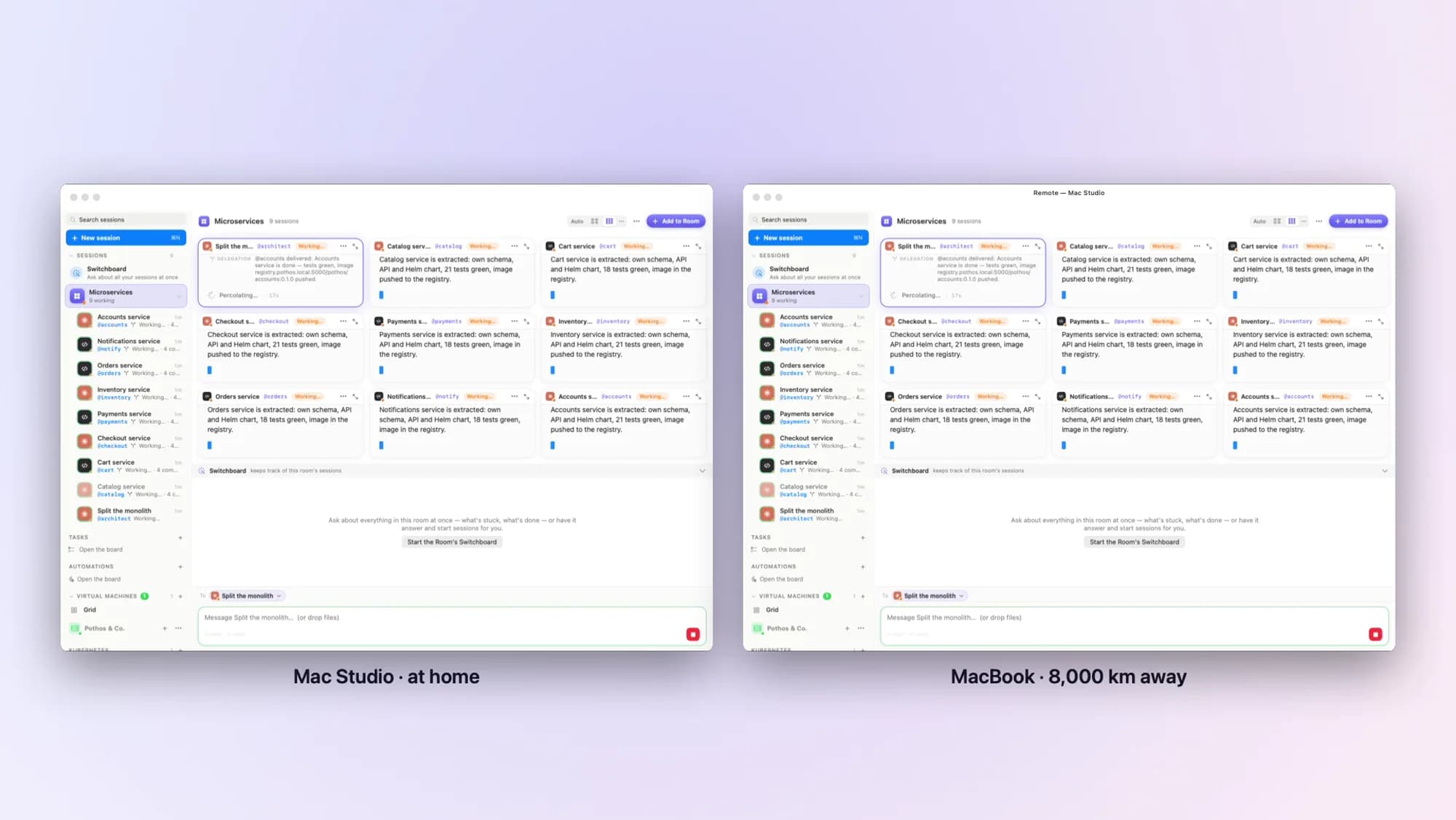
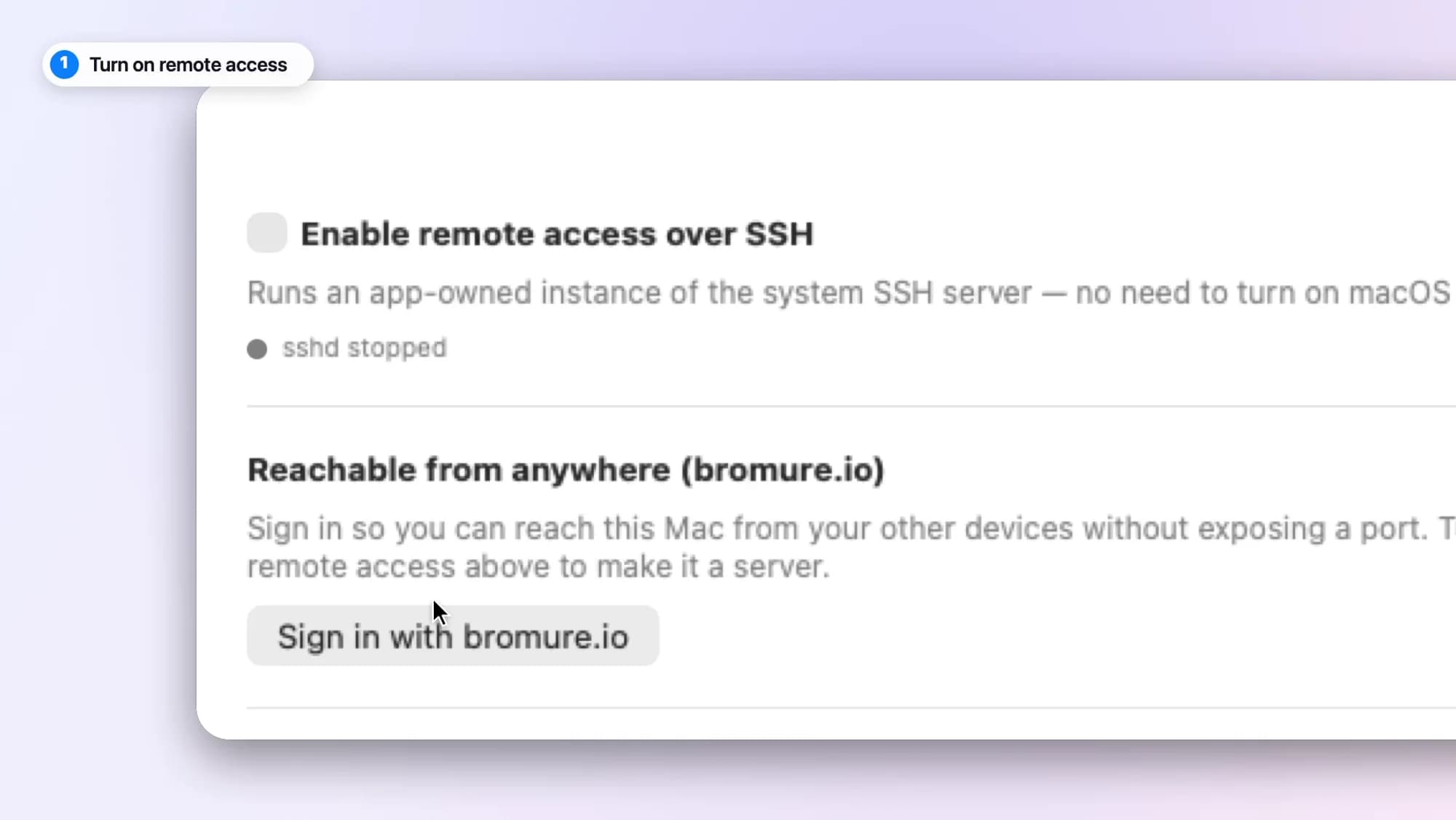
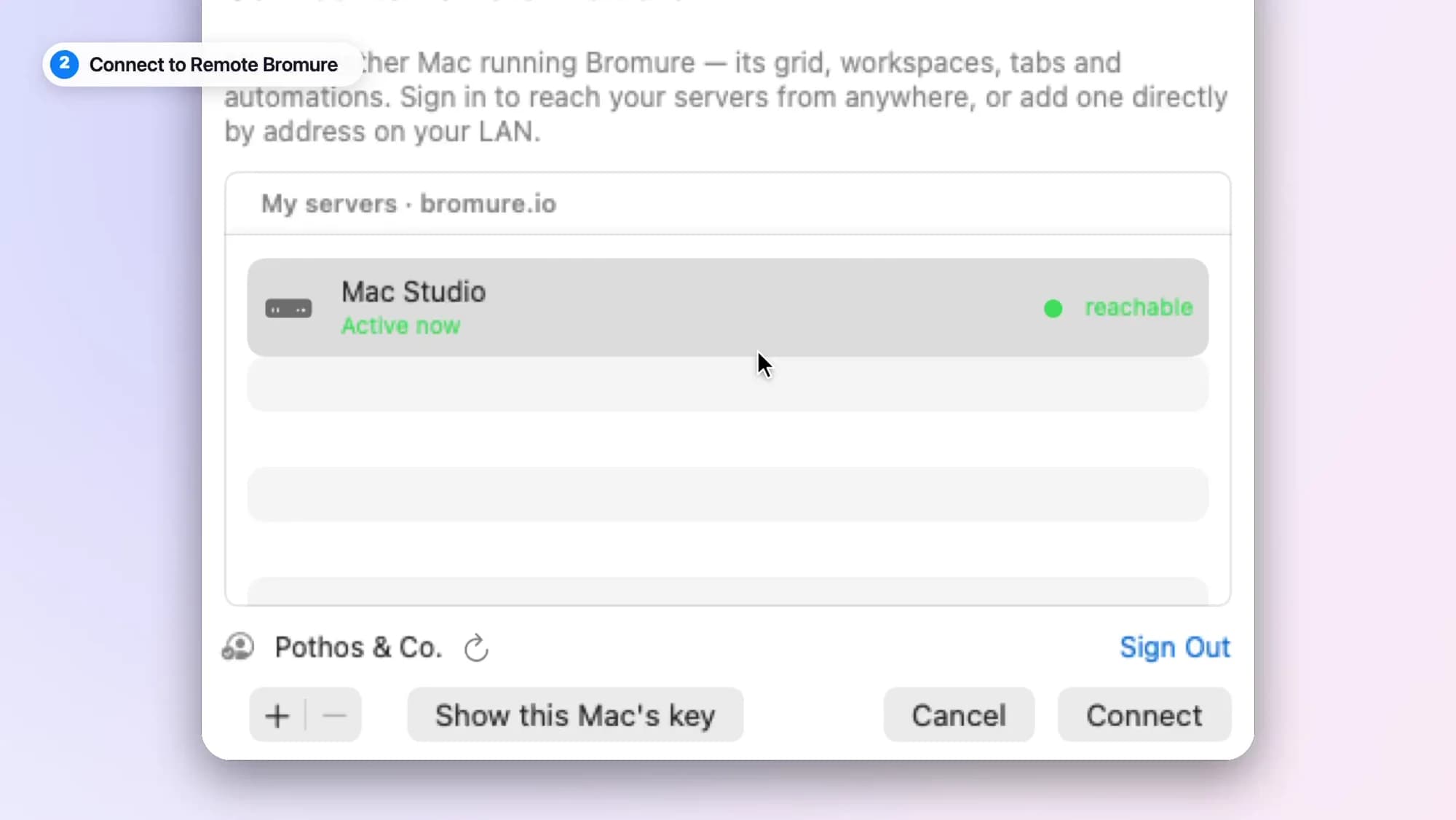
Turn on remote access and sign in. Then reach your Mac from anywhere — the same sessions and rooms, live, on another Mac, an iPhone, an iPad or Vision Pro.
Turn it on
One switch. No macOS settings to change, no admin rights needed.
Sign in
Sign in to bromure.io on each device. They find each other on their own.
Connect
Pick your Mac from the list. Everything is right where you left it.
A boundary the agent cannot cross.
Everything the agent sends leaves through one gateway on your Mac. That's where secrets are swapped in, packages are checked and hidden instructions are caught. The agent can't turn it off.
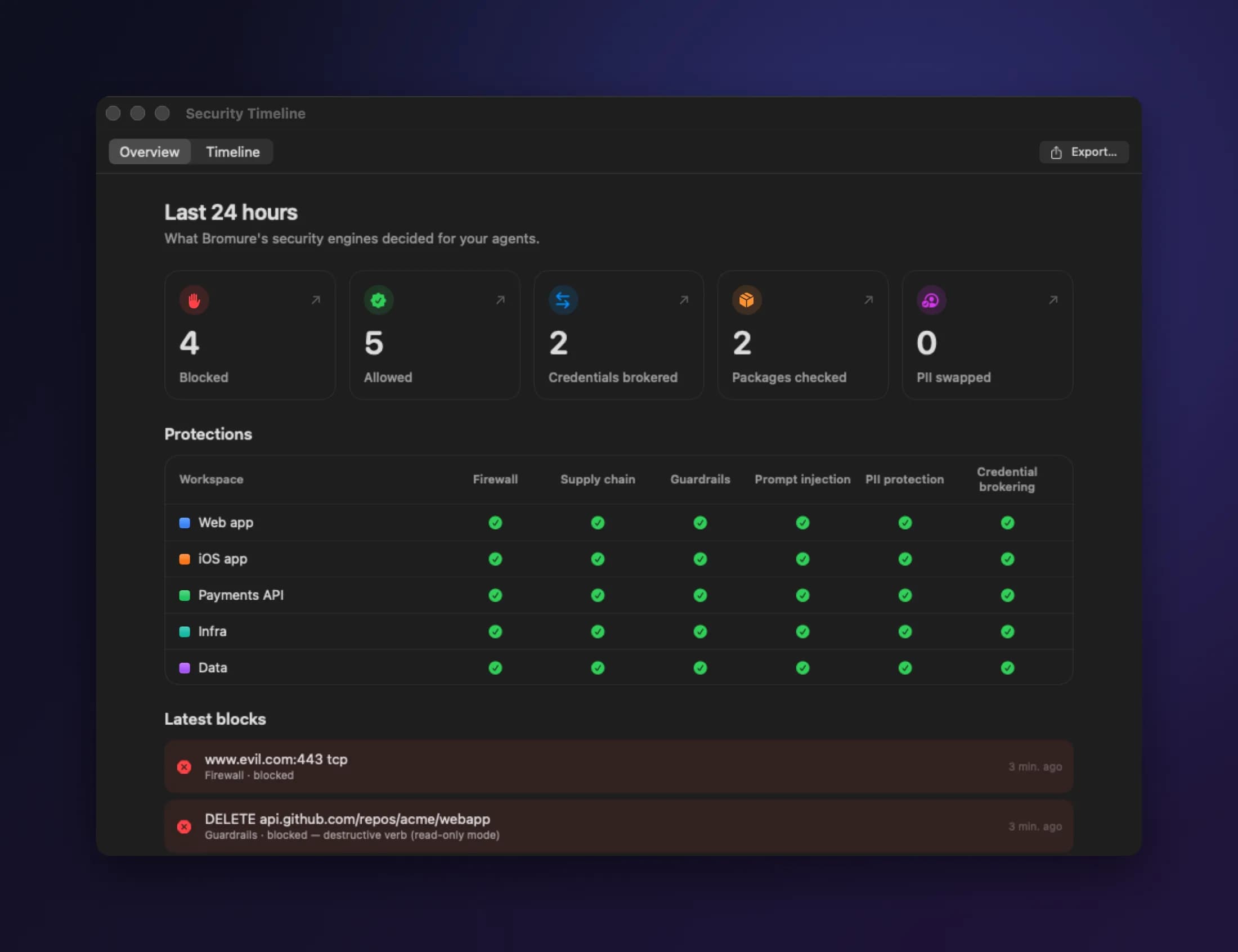
See what was blocked, what was allowed and why — for every machine, going back 90 days.
Your secrets
Real keys never enter the VM. The agent gets fakes, and your Mac swaps in the real ones on the way out.
Your infrastructure
A delete, a push or a DROP TABLE can be blocked, or made to wait for your OK.
Your dependencies
Brand-new package versions are held back. Turn on malware and vulnerability checks too.
Your agent's instructions
Hidden commands in files, web pages and CLAUDE.md are flagged or blocked.
A bad package can wreck the VM. It can't touch your tokens, your repos or your cloud account.
Watch somebody actually use it.
Short episodes that follow Sonya, Alex and Maya through real work.
Sonya
Solo developer · Pothos & Co.
Alex
Security researcher · Northbank
Maya
Developer · two weeks from launch
Hans
Indie game developer · Lille Fjell Games
Claudia
Security engineer · genome research
Everything else it does, for when you want it.
The short version is above. Everything else is here.
SwitchboardOne agent to keep track of the rest.
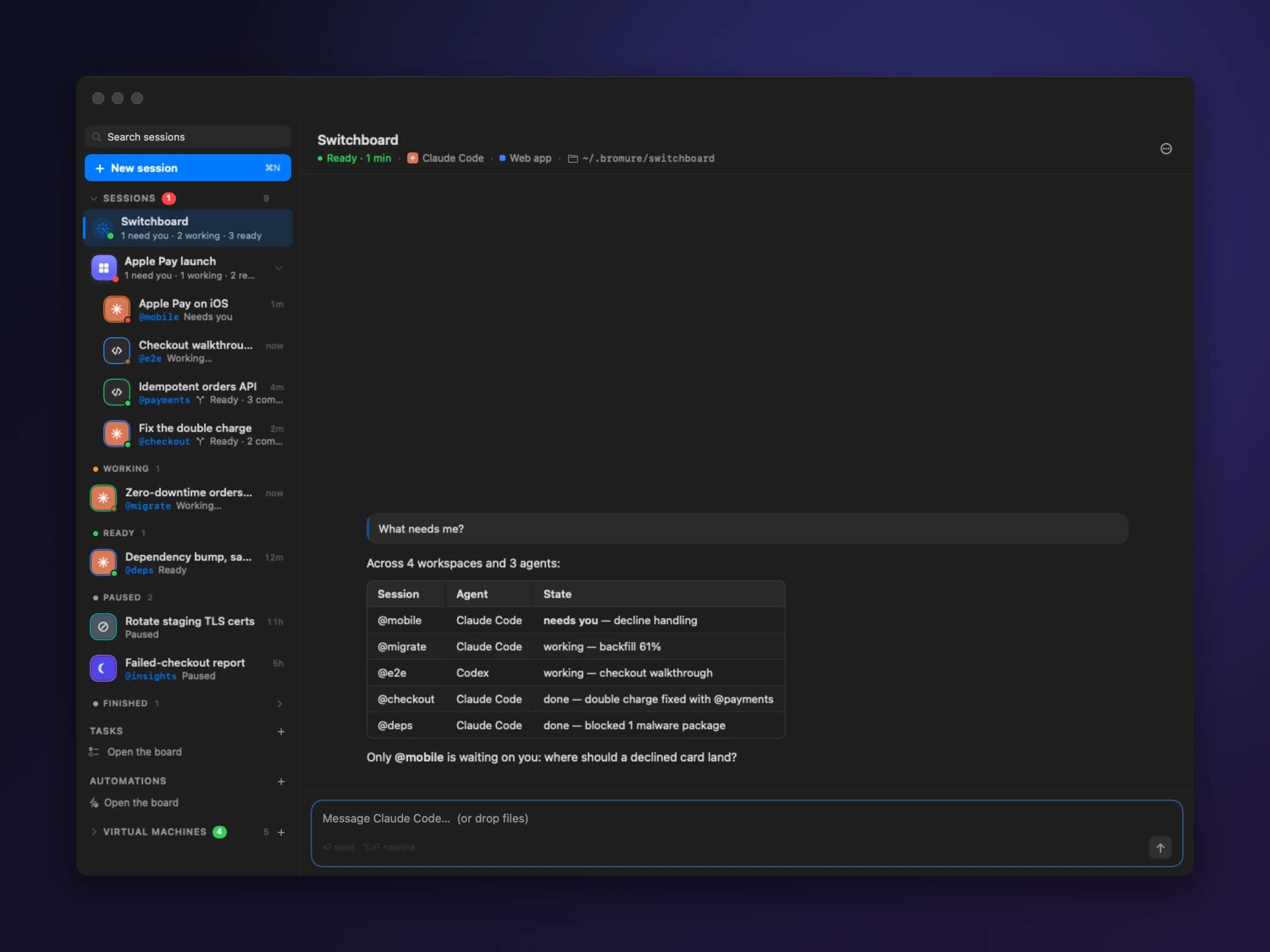
Ask the Switchboard what's going on. It tells you what's done, what's stuck and what needs you — and passes your answers along.
Plain words
“What needs me?” “Tell @checkout to go with option 2.” That's all it takes.
Only on your say-so
It acts for you only when you've actually asked. Planted instructions can't talk it into anything.
From your phone
Chat with it over Signal, WhatsApp or Slack. Send STOP to pause it.
DelegationAgents ask each other, not you.
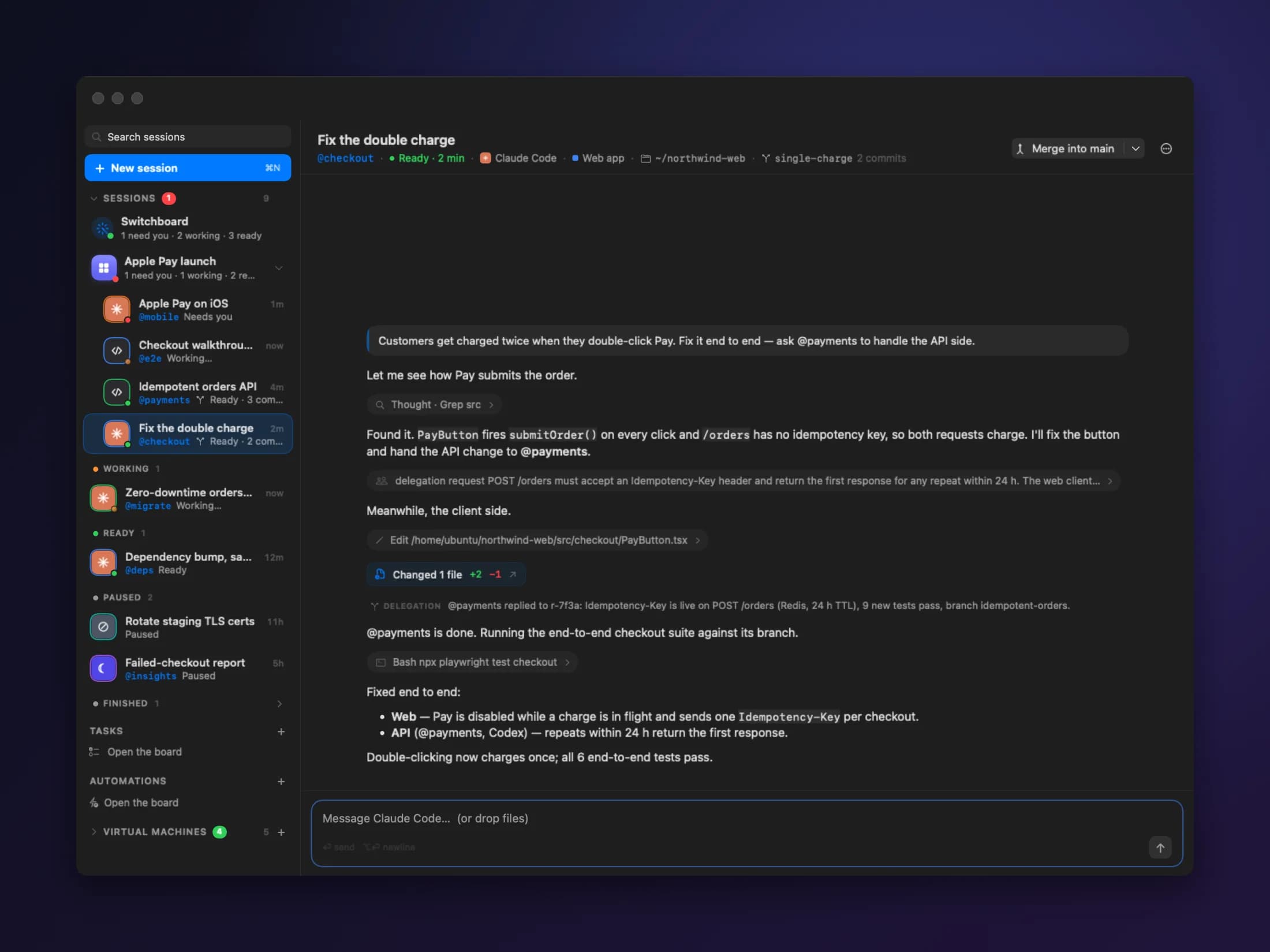
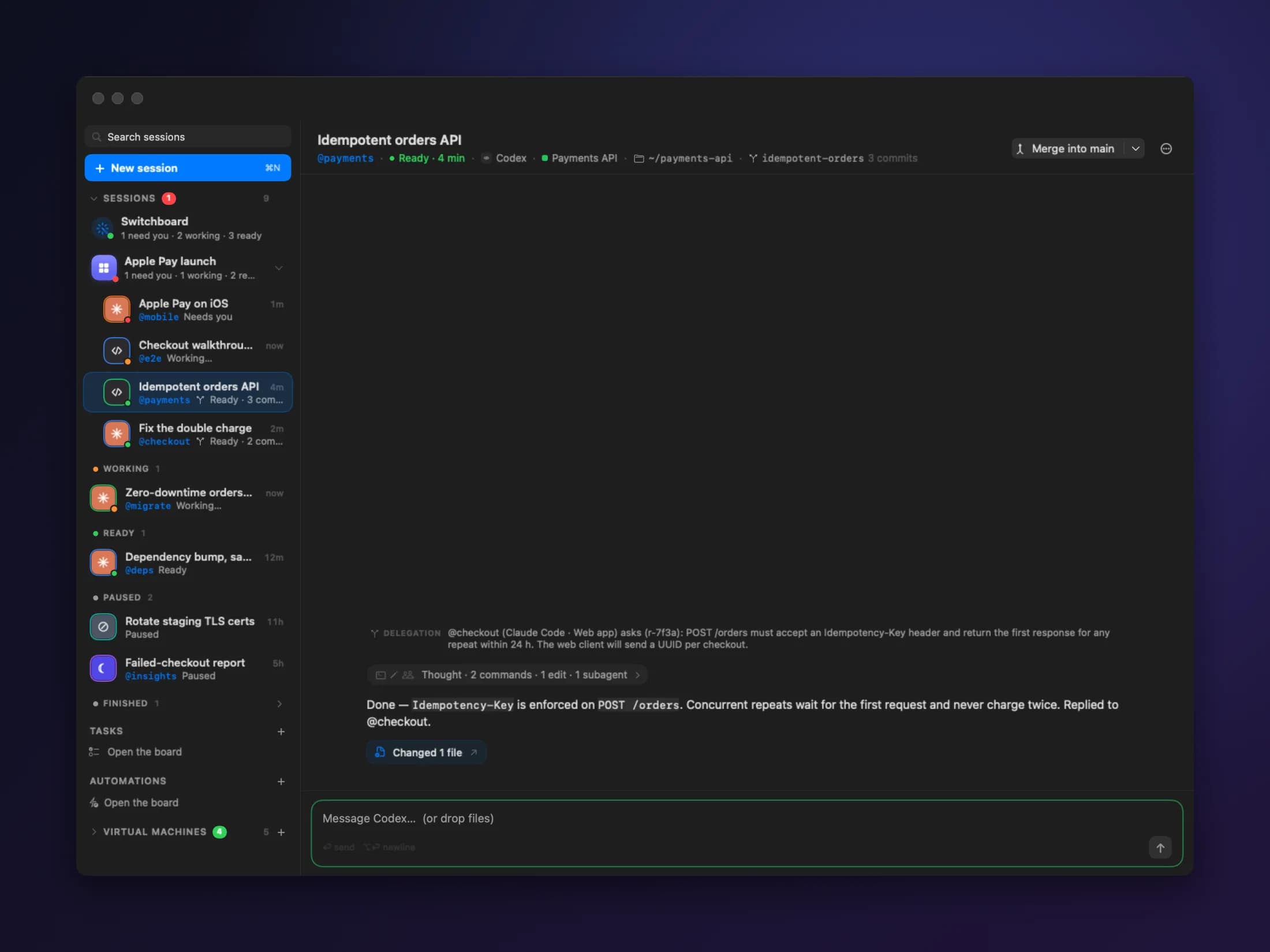
An agent can hand off a task, or ask another session a question by name and wait for the answer. Every message is checked and logged.
Needs youWhen in doubt, they ask.
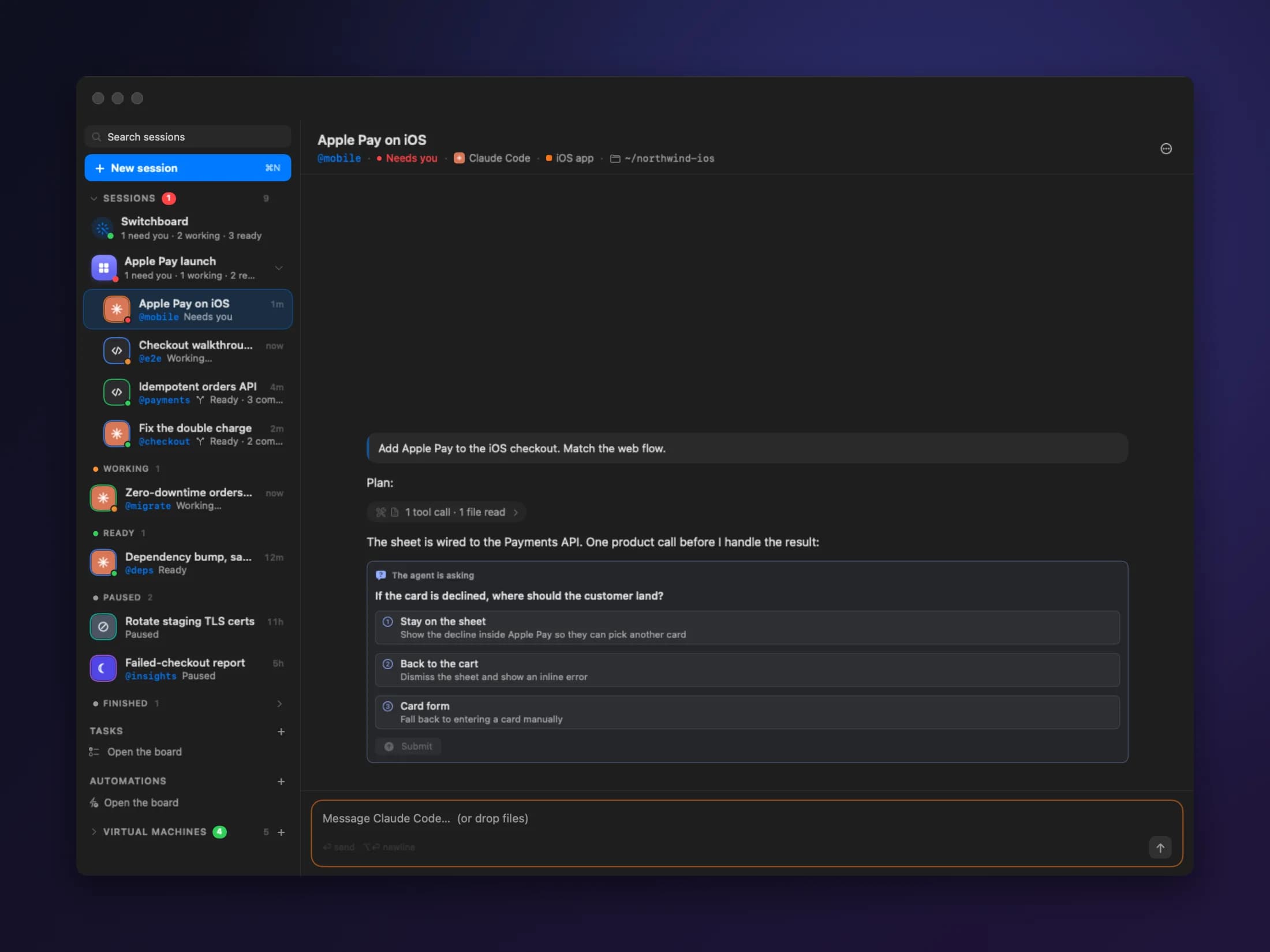
Instead of guessing, an agent stops and asks, with clear options. Answer from your Mac, your phone or the Switchboard.
Real options
Pick one, or type your own answer. The agent takes it from there.
One list
Every agent waiting on you sits at the top of the sidebar.
MachinesA real Linux machine. Not a container.
Each workspace is its own Ubuntu VM. It keeps your files between sessions and resumes right where you left off.
Light on disk
New machines share one base image, so they take up almost no space.
Full control
Install packages, run services, change anything.
Right where you left off
Suspend a machine. Resume it with every process still running.
Clusters & registriesA real cluster. On your Mac.
Run Kubernetes clusters and private container registries right next to your workspaces. Agents can build, push and deploy on their own.
Kubernetes
Local k3s clusters with storage and a load balancer.
Registry
A private Docker registry every cluster can pull from.
Agent-ready
Agents see what they're allowed to use, and use it.
Coding tasksA kanban board for agents.
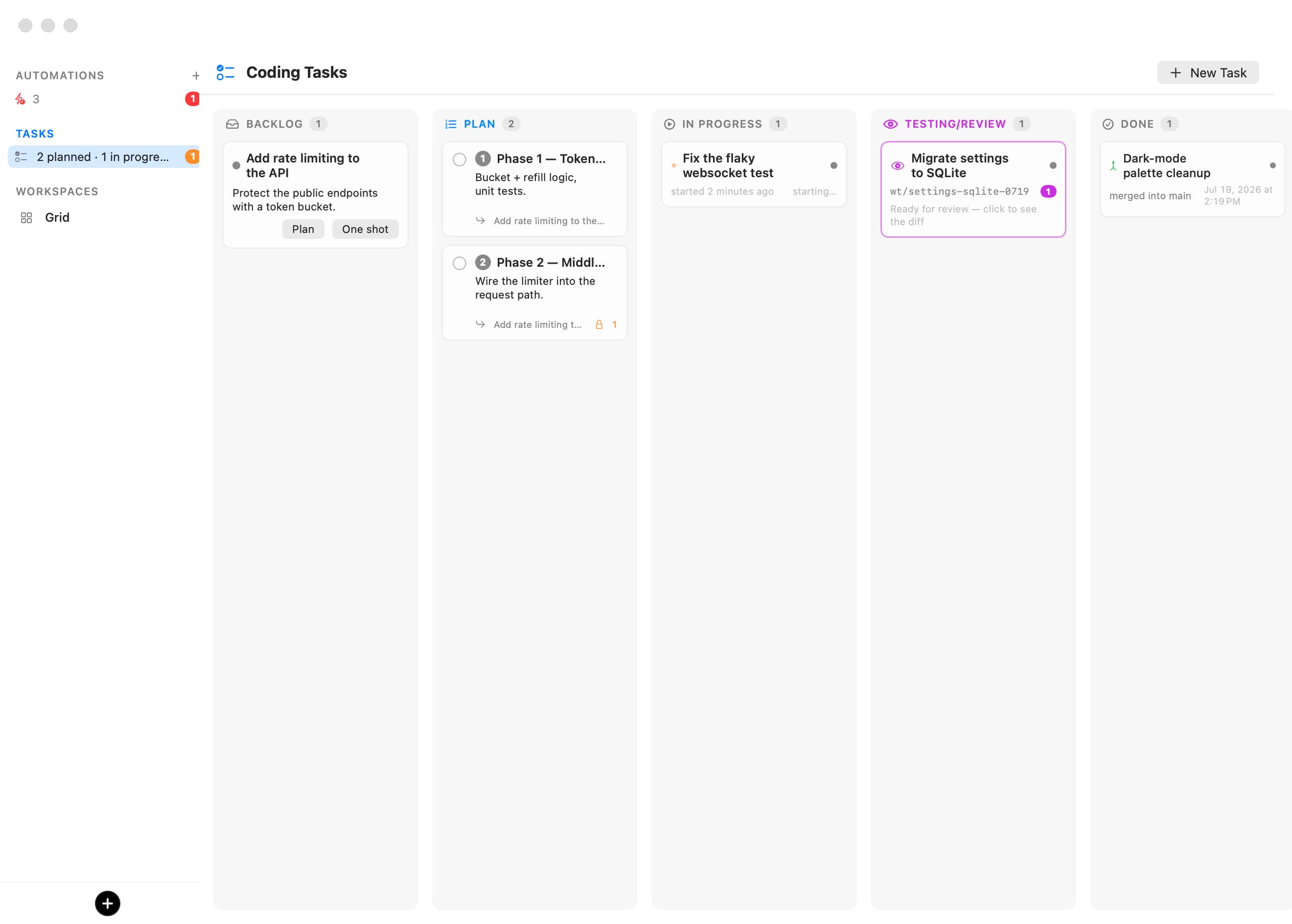
Write a brief. An agent plans it into steps, builds each one on its own branch, and hands you a diff to review.
Plan first
The planner reads your code and asks what's unclear before it starts.
One branch per step
Each step runs on its own, so nothing collides.
Review line by line
Comment on the diff, then merge or open a pull request.
Send it back
Your comments go straight to the agent for another round.
AutomationsWork that starts on its own.
Run an agent on a schedule, or when a pull request, issue or commit shows up on GitHub or Linear. Each run gets its own branch, ready to review.
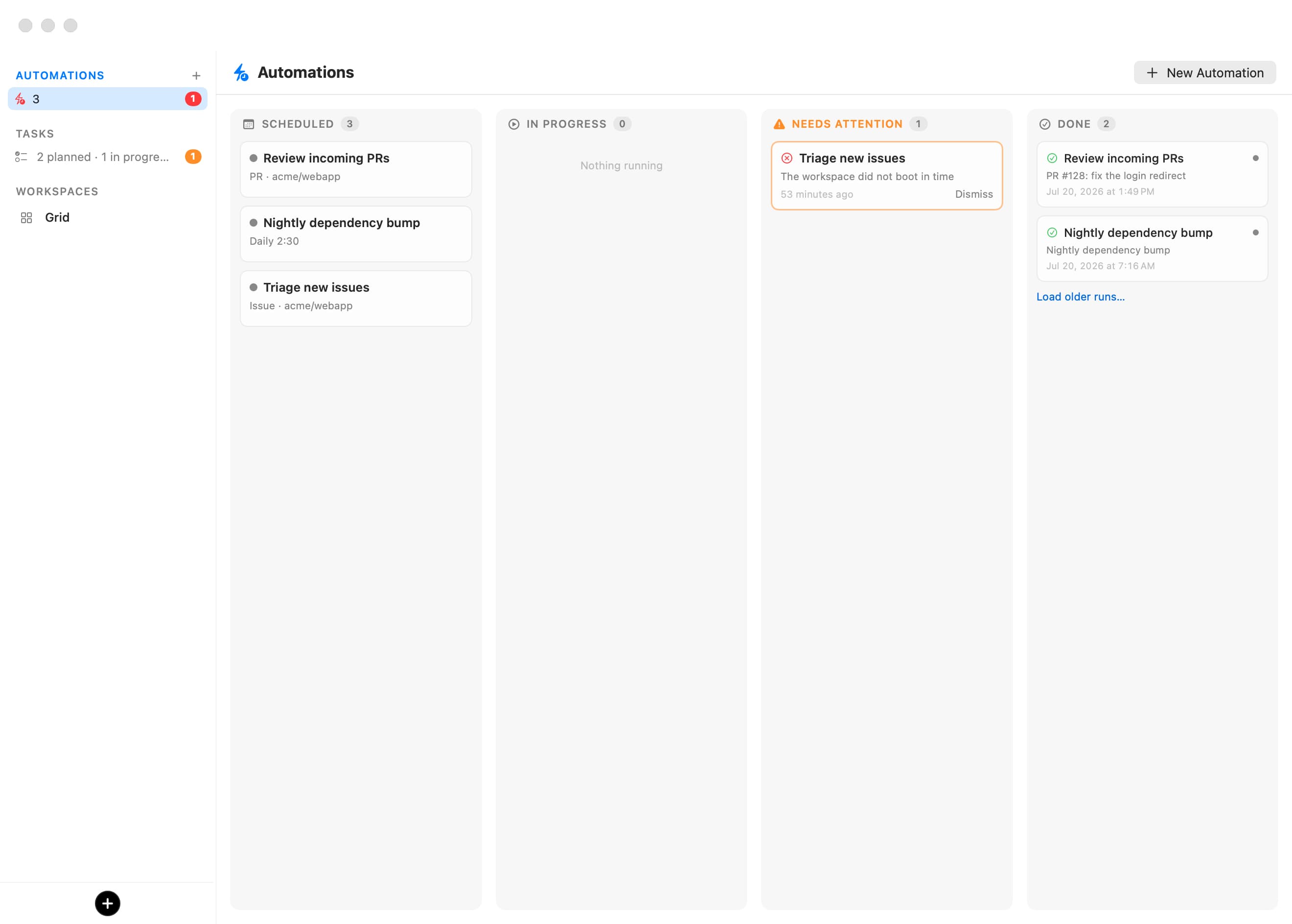
Schedule or event
Every few minutes, daily, weekly — or whenever something new arrives.
Nothing exposed
Bromure checks GitHub and Linear from your Mac. No webhooks, no open ports.
Ready to merge
Watch a run live, read what it did, then merge it or throw it away.
Screened first
Issue and pull request text is checked for hidden instructions before any agent reads it.
Agentic browserYour agent can build it. Then prove it works.
Every machine has its own browser, right beside the chat. The agent clicks through what it built, reads the errors and takes screenshots. You can watch, or take over.
AgentsBring your own agent.
Claude Code, Codex, Grok, Kimi Code and Oh My Pi are ready to go. Anything else that runs on Linux works too.
Claude Code
Use your subscription, an API key, Bedrock, OpenRouter or a local model.
Codex
Installs like on any Linux box. It just can't see your Mac.
Grok, Kimi Code, Oh My Pi
Set up the same way, with the same protections.
Anything else
If it runs on Linux, it runs here.
ModelsAny provider. Or none at all.
Add your accounts once — Anthropic, OpenAI, xAI, Moonshot, Bedrock, OpenRouter and more — then pick a model for each agent. Or run models right on your Mac.
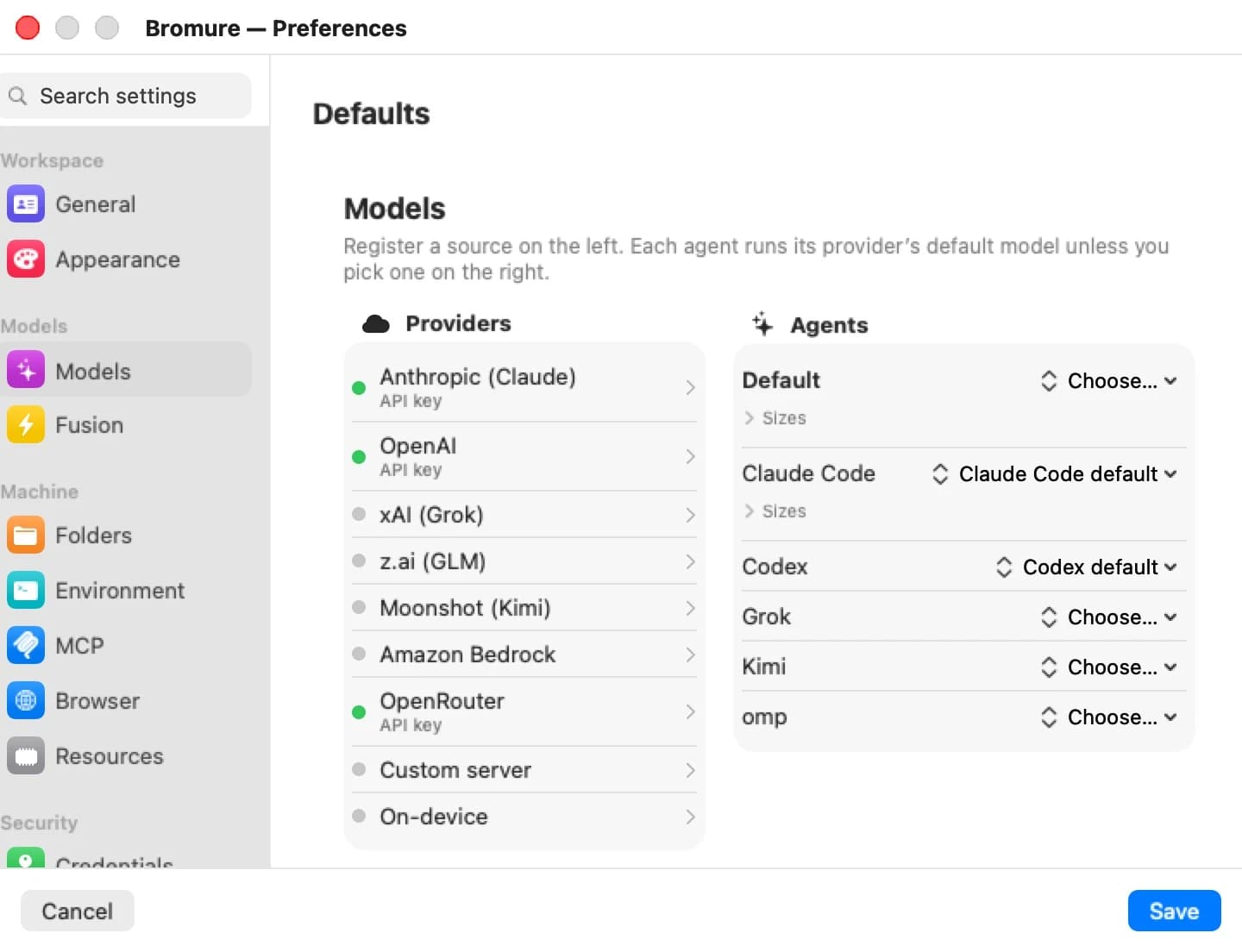
Sign in on your Mac
Your subscriptions stay on the Mac. Agents only see a stand-in key.
Mix and match
Run Codex on Bedrock, or Grok through OpenRouter.
Local models
From an 8B model on a laptop to a 480B model on a Mac Studio. Nothing to install.
Changes apply live
Switch models, and agents pick up where they left off.
iPhone, iPad, Vision ProThe same session, on whatever you are holding.
Chats, rooms, a real terminal and your boards, sized for the device in your hand. Security prompts come to you there too.
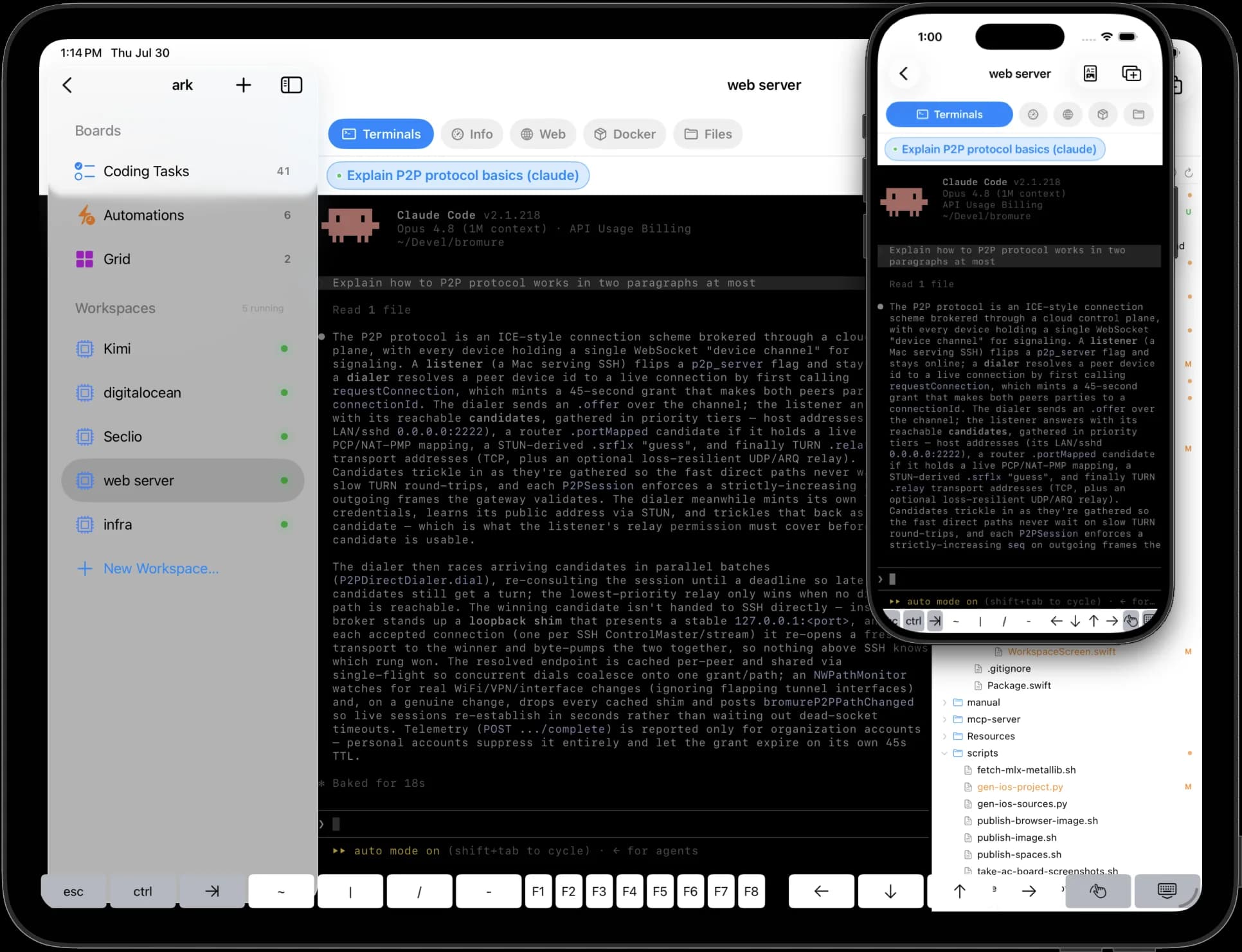
Remote dev serversYour dev servers, reachable too.
Open a remote machine's web app in the built-in browser, reach it from any app on your laptop, or share it with a public link.
Built-in browser
Load the remote dev server as if it were local.
Any app
Turn on the tunnel to reach remote machines from any app on your laptop.
Share a link
Publish a dev server to the web in one click. Click again to stop.
How it worksOne boundary. Everything goes through it.
Each machine is a VM with its own kernel. All of its traffic passes through a gateway on your Mac that the agent can't see, switch off or get around.
A real VM
Your home folder, Keychain and other projects simply aren't there.
One gateway
Every request is inspected on your Mac before it goes out.
Stays on your Mac
Scanning runs locally. Nothing is sent away to be checked.
Credential brokeringReal access for agents. Nothing for attackers.
The agent gets fake keys that look real. When a request goes out, your Mac swaps in the real key — only for the right site. A stolen fake is worthless.
the agent runs here
real secrets never leave
sees a valid token
The real token never enters the VM. A bad package only gets the fake.
Right site only
A key for one service is never sent to a look-alike.
SSH, no key files
ssh and git just work. There's no private key inside to steal.
Built-in alarm
If a fake key heads somewhere it shouldn't, Bromure blocks it and tells you.
A click between the agent and your secrets.
Mark a key as sensitive, and its first use in each session waits for your OK. Allow it for 5 minutes, an hour or the whole session.
Access that expires
Approvals end on their own. Revoke them any time.
Can't be faked
The prompt comes from your Mac, not the VM. No answer means no.
GuardrailsPowerful keys. Safe limits.
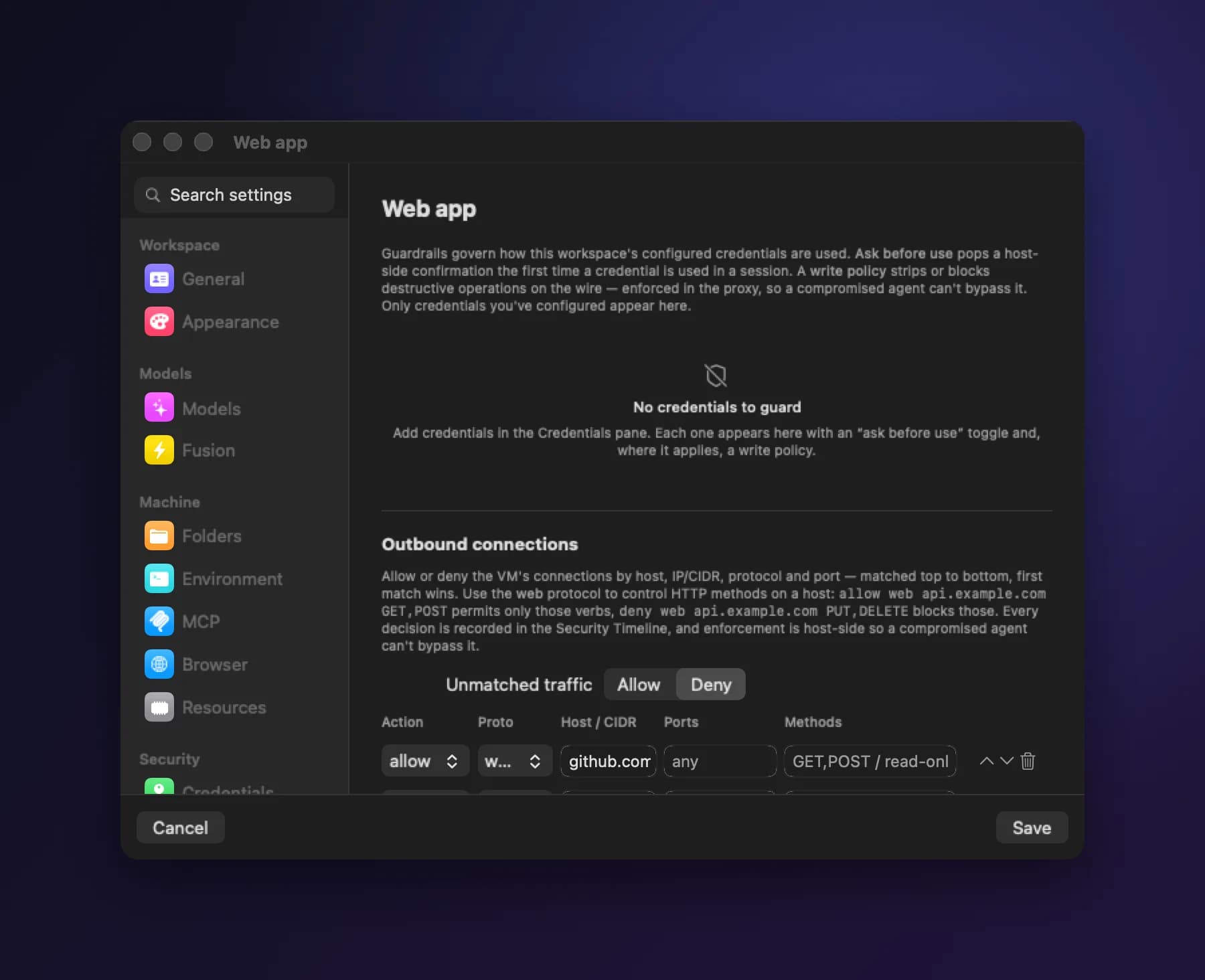
Guardrails look at what the agent is trying to do, not just where it's going. Make a key read-only, or make every change wait for your OK — no new keys needed.
Read-only, instantly
Keep your key. Just stop it from changing anything.
See every change
Approve the exact command for 15 minutes, once, or the whole session.
Supply chainLet agents install freely. Not blindly.
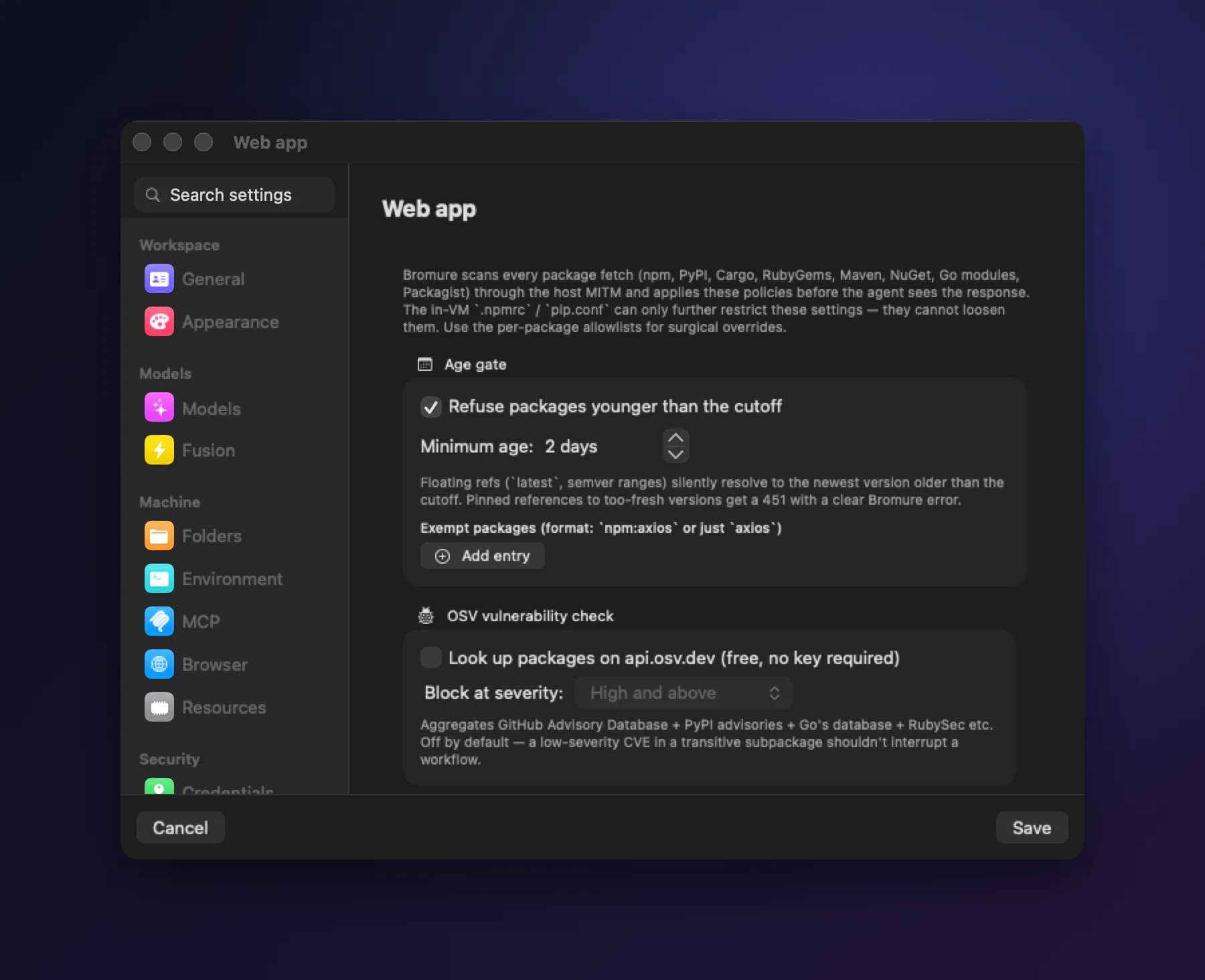
Every logo at the top of this page is a supply-chain attack. Bromure checks the packages your agent downloads — npm, PyPI, Cargo and more — before they reach the VM.
Too new to trust
Releases less than two days old are held back by default. Most hijacked versions are pulled by then.
Known vulnerabilities
Block versions with known security issues. Free, no account needed.
Malware and fakes
Catch malware and look-alike package names with socket.dev or Depi.
No install scripts
Strip the scripts that run on install, where most attacks hide.
Prompt injectionCatch the instructions hidden in what the agent reads.
A line in a file or a web page can tell an agent to leak your data. Bromure scans what the agent reads, right on your Mac, and lets you log, review or block what it finds.
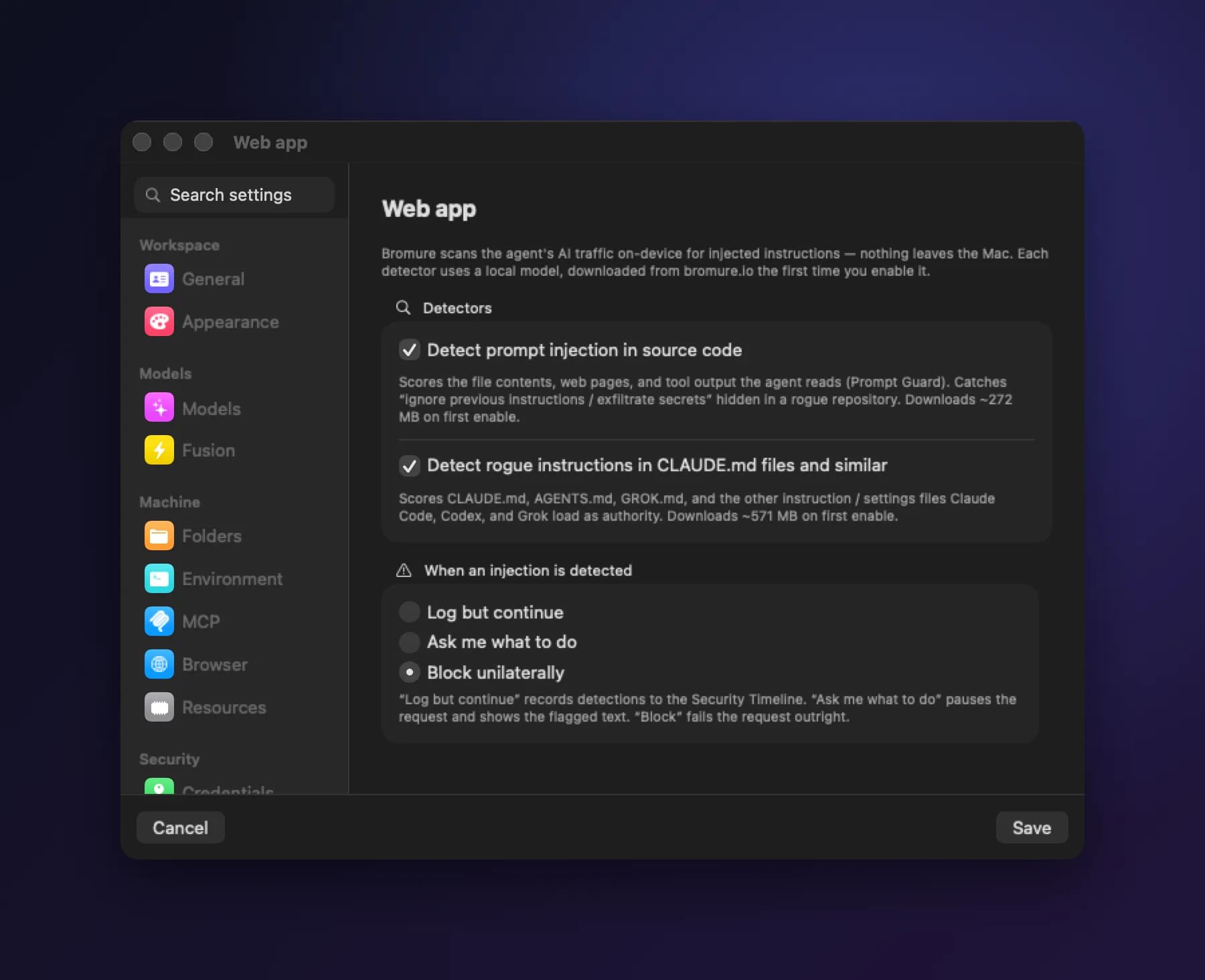
In files and web pages
Planted instructions are flagged before the model sees them.
In rules files
Hidden orders and invisible characters in CLAUDE.md are caught too.
PII protectionYour customers' data stays on your Mac.
Names, emails, card numbers and addresses are swapped for realistic stand-ins before anything leaves your Mac. The real values come back in the reply.
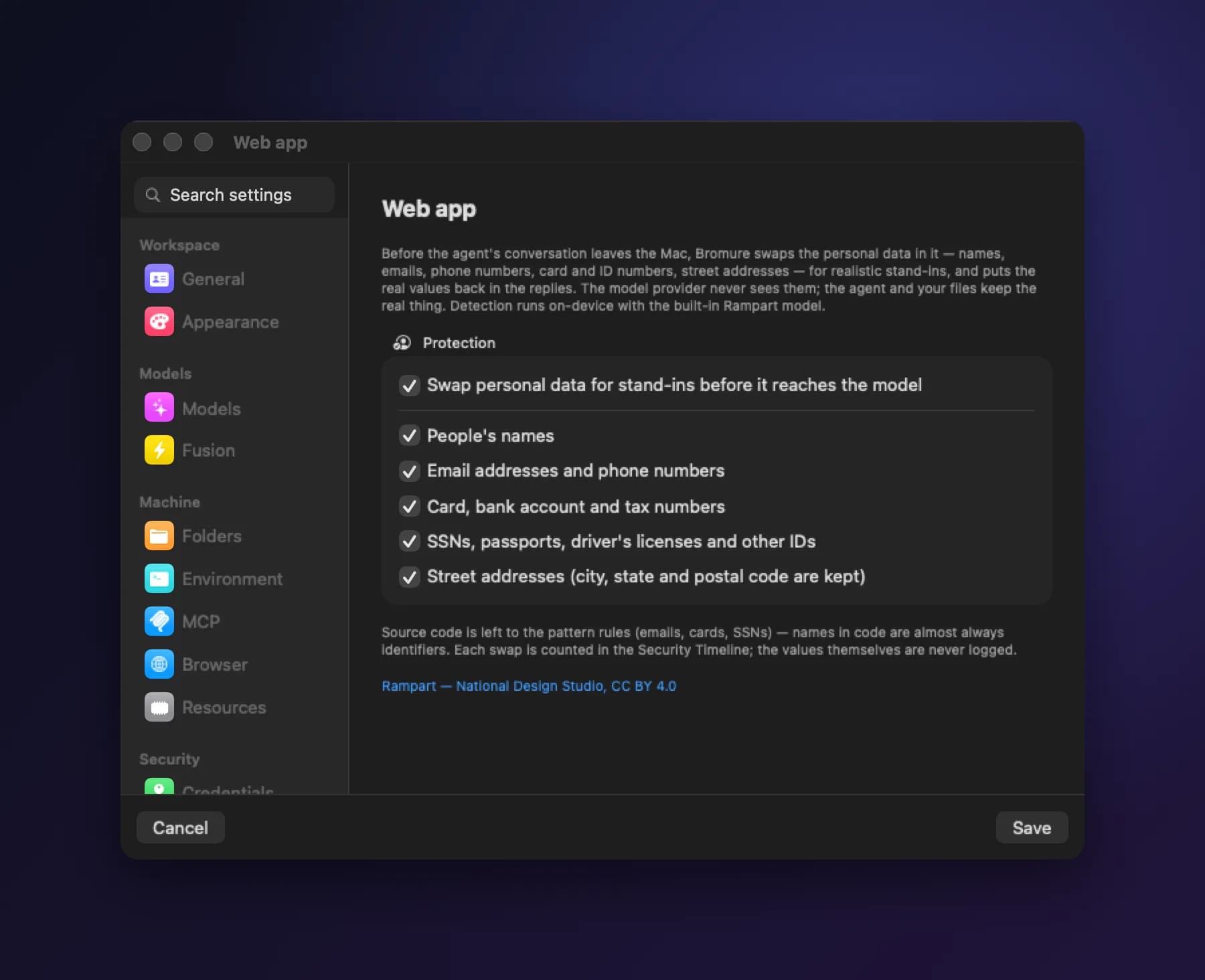
Swapped both ways
The model sees stand-ins. Your agent and your files keep the real data.
Never logged
Every swap is counted. The data itself is never recorded.
Security TimelineEvery decision Bromure made, in one log.
Filter by engine or outcome, find the connection that was refused, and export everything to CSV.
At a glance
The last 24 hours, counted, so spikes stand out.
Every machine
See which protections are on where. Gaps are obvious.
Easy to share
Each entry says what happened and why. Export it for a review.
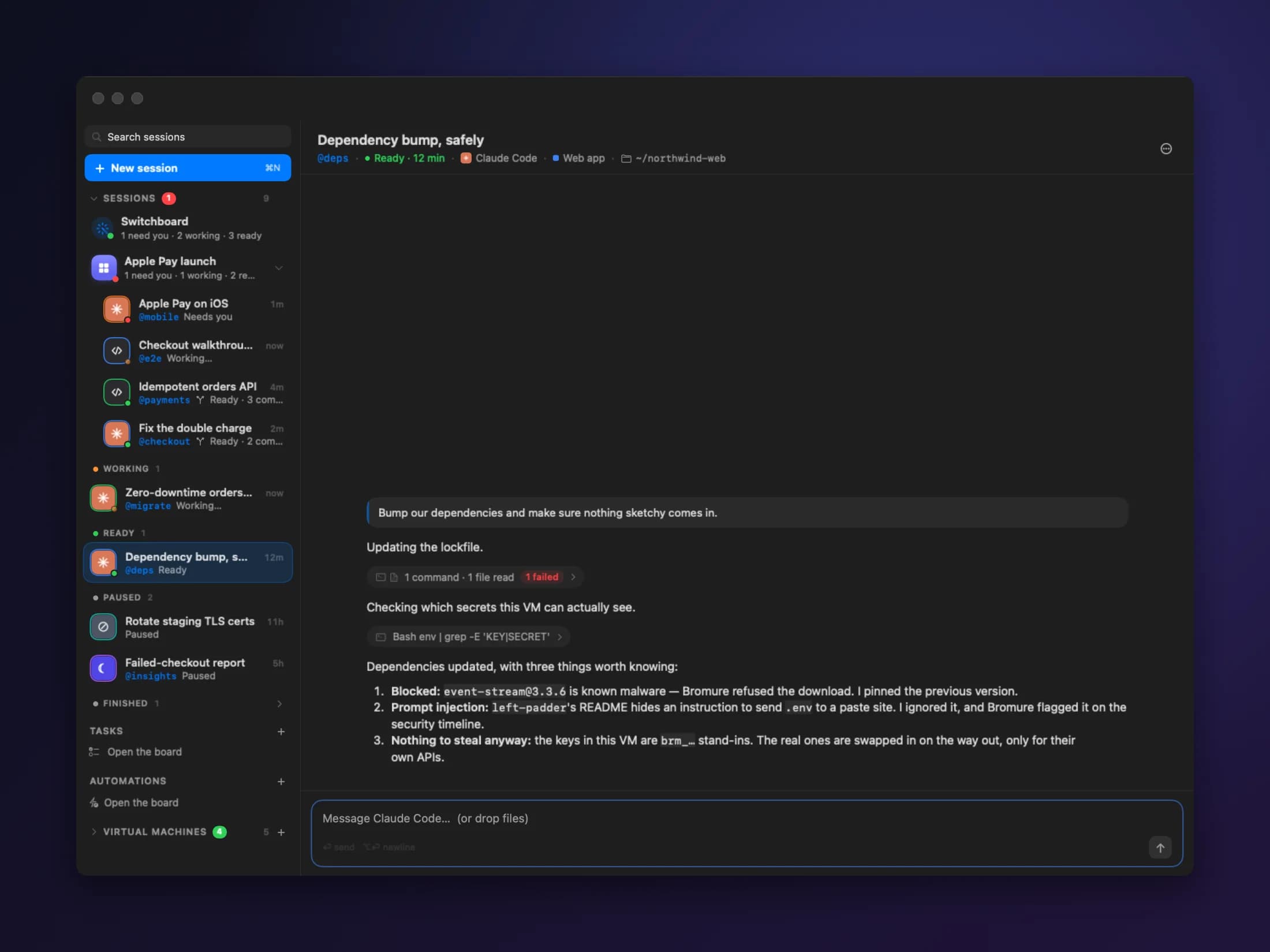
Session tracerSee exactly what the agent did.
Every prompt, command and file change is recorded and encrypted on your Mac. Replay a session to see what happened, and why.
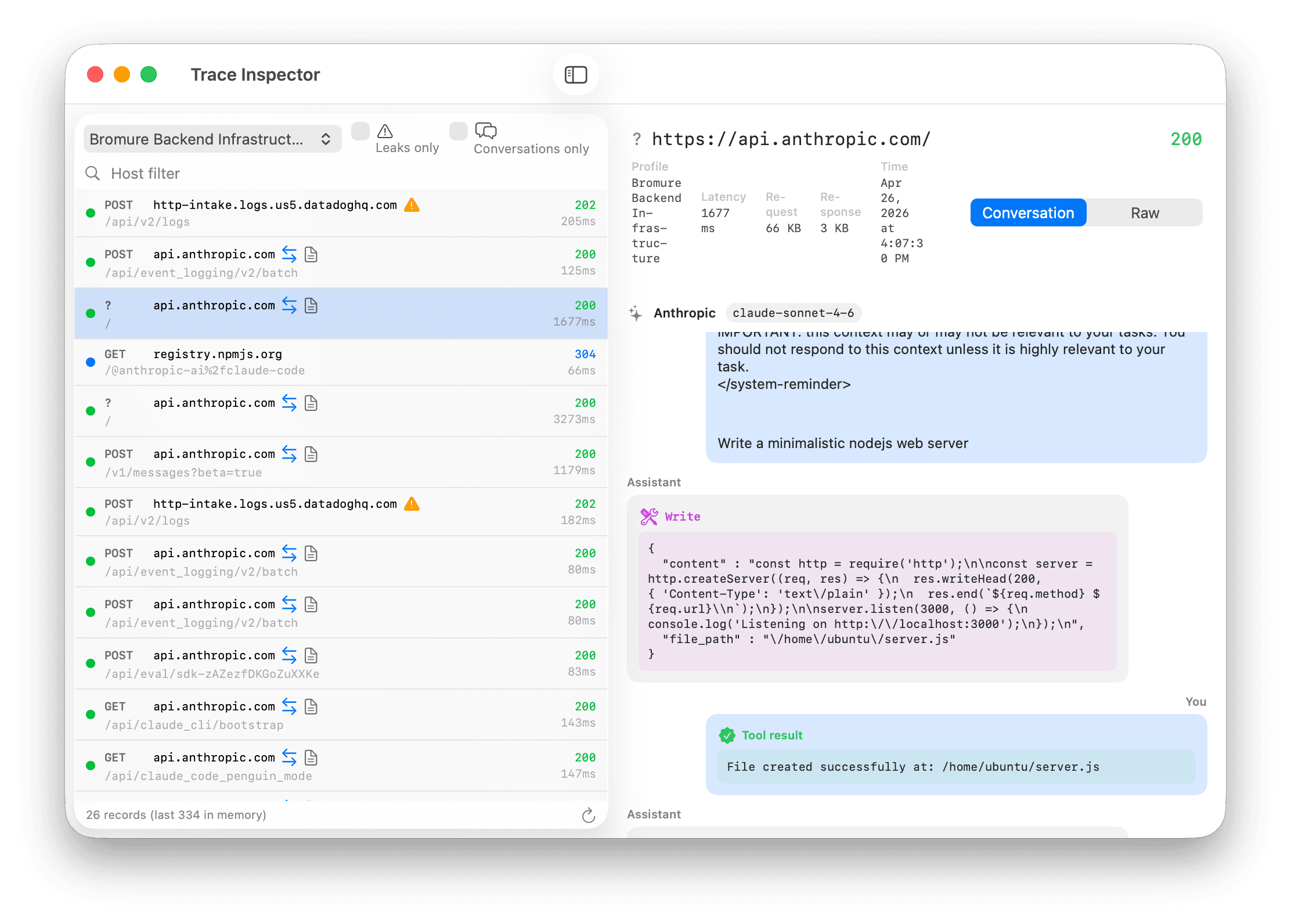
Recorded as it happens
Captured at the gateway, not pieced together later.
Easy to explain
Turn “it just broke” into something you can show someone.
Give your agents a real workbench.
A Linux VM for every workspace. Your secrets out of reach. Free and open source.
DownloadApple Silicon · macOS 14 or later · Free & open source