One repo, a fleet of agents: git worktrees in Bromure Agentic Coding
Run two coding agents against one repo and they collide over the same working tree. Git worktrees fix that with N independent checkouts over one shared history. Bromure Agentic Coding makes them a one-click primitive: type a task name and get an isolated branch, an isolated checkout, and an agent working on it, each in its own tab inside a disposable VM.
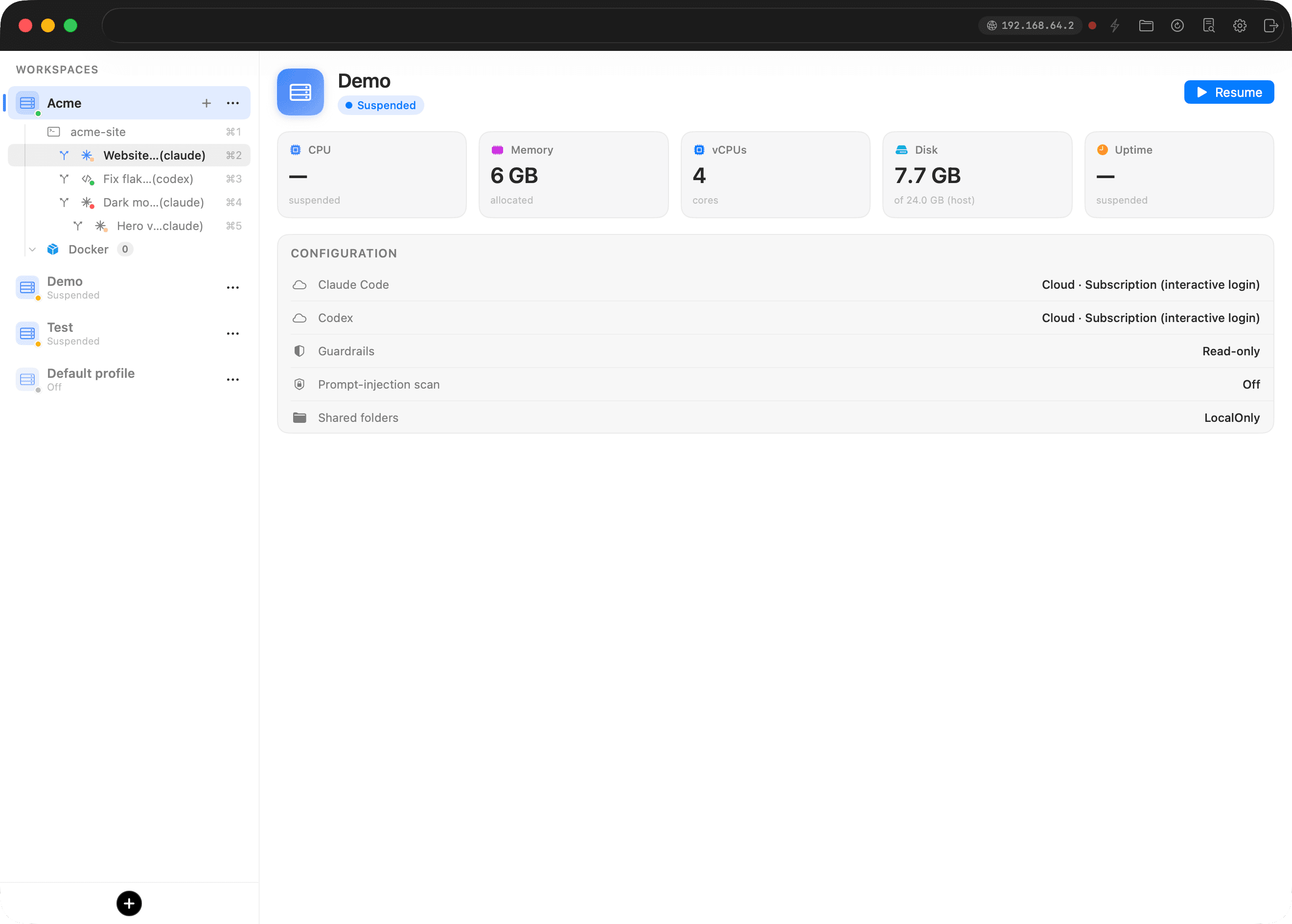
Coding agents move fast; your repository is what holds them back. Bromure Agentic Coding gives every task its own branch, its own checkout, and its own agent, each in its own tab.
Coding agents move fast. Your repository is what holds them back. Run two agents against one checkout and they collide: same working tree, same uncommitted files, same branch. One agent runs git checkout and the other's work drops out from under it.
Git solved this with worktrees. Bromure Agentic Coding turns the worktree into a one-click primitive: every task gets its own branch, its own checkout, and its own agent, each in its own tab.
First, what is a git worktree?
A git clone gives you one working tree: one directory of checked-out files, one HEAD, one index. To work on two branches at once, you juggle (git stash, switch, work, switch back, git stash pop, and hope) or you make a second clone, which copies the whole object database and shares no view of your local branches.
git worktree add is the third option. It attaches an additional working tree to the repository you already have:
git worktree add -b fix-login ../fix-login HEAD
That gives you a new directory with a full checkout on a new branch, sharing the same .git object store as your main checkout. Each worktree keeps its own HEAD, index, and uncommitted state; a commit in one shows up in all of them. Creating a worktree copies no objects, so it costs almost nothing. Merging the work back is a local git merge: no push, no pull, no remote round-trip.
Worktrees give you N independent working directories over one shared history.
Why worktrees fit agentic coding
An autonomous coding agent needs a working tree it can tear up: edit files, run builds, leave half-finished state lying around while it thinks. You can't share that.
Worktrees map onto how you delegate:
- One task, one worktree, one agent. "Refactor the website" and "fix the flaky test" each get a private checkout. Neither one can trample the other's uncommitted work, or yours.
- Cheap enough to be casual. Because a worktree copies no history, spinning one up for a 20-minute task makes sense. You wouldn't clone the repo for that.
- Merge in place. All worktrees share one repository, so integrating an agent's finished work is a local merge of a local branch. You review a diff, not a pull-request pipeline.
Claude Code, Codex, and the rest run fine inside a worktree. The friction is the ceremony: pick a directory, invent a branch name, git worktree add, copy over your .env (gitignored files don't come along), cd, launch the agent, paste the task. Then clean it all up afterward.
Bromure Agentic Coding removes the ceremony.
Worktrees in Bromure Agentic Coding
Quick recap for anyone new: Bromure Agentic Coding runs your coding agents inside disposable Ubuntu VMs on Apple's Virtualization.framework. A workspace is a VM; it mounts your project folder over virtiofs (no copying); each tab in a workspace is a terminal running whatever you want, usually an agent. The VM boundary lets an agent in full-autonomy mode run rm -rf or curl | bash all it likes without touching your Mac.
Worktrees add a second axis of isolation. The VM isolates the machine; the worktree isolates the working tree, so several agents can share one workspace and one repo without sharing state.
Creating one
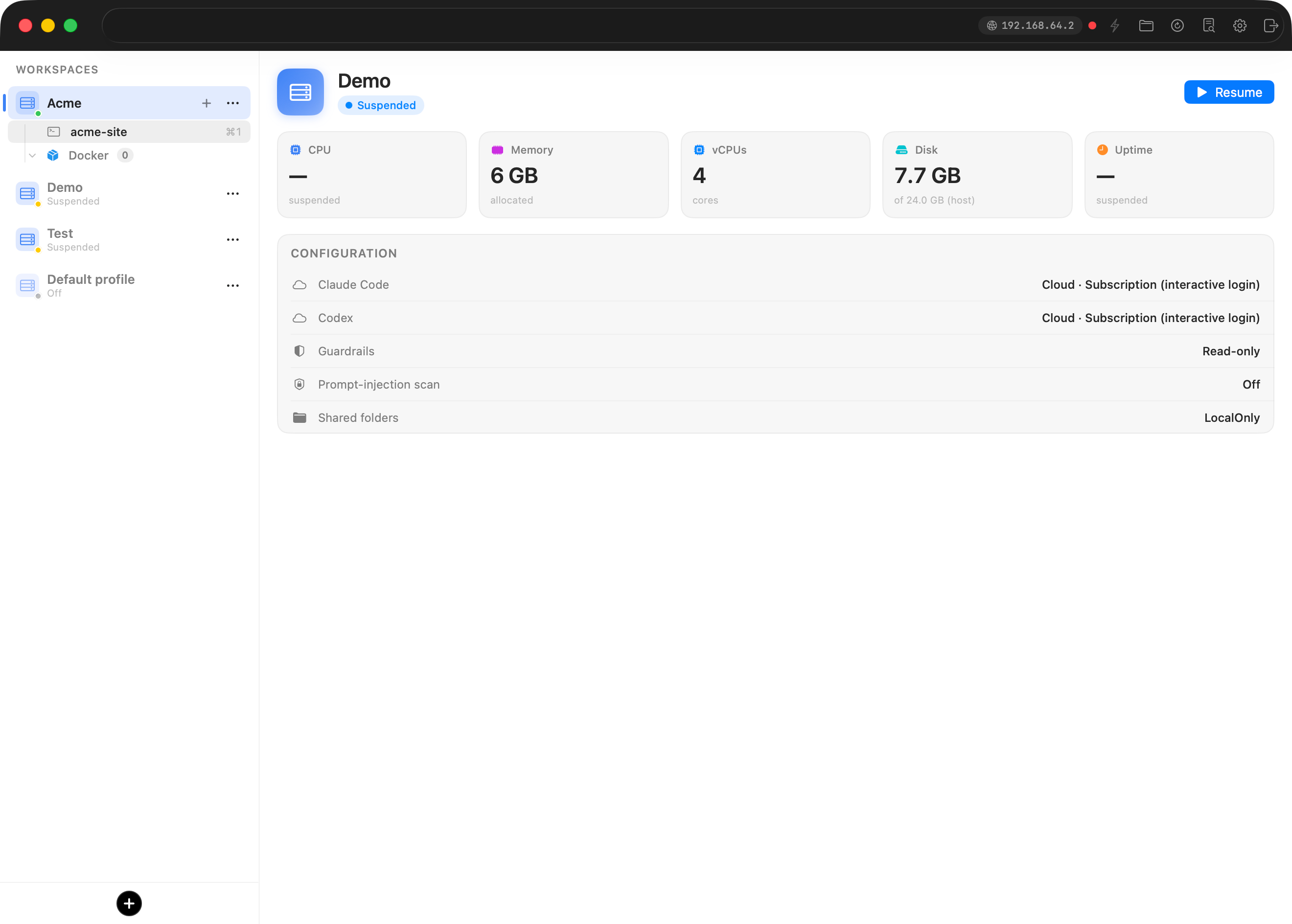
From any tab whose directory is a git repo, either:
- right-click the tab and choose New worktree…, or
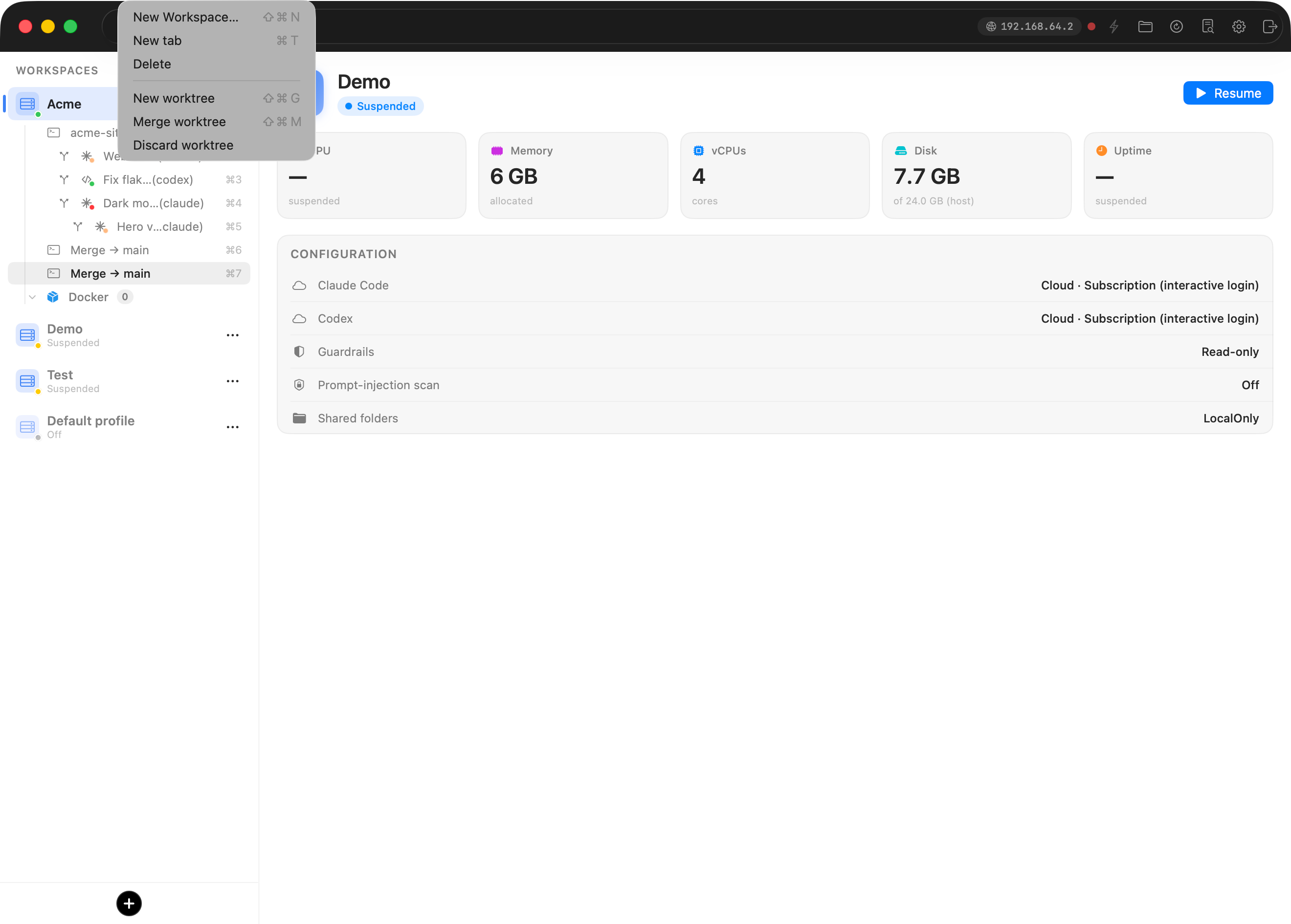
- hit ⇧⌘G (the Workspaces menu also lists it, next to Merge worktree ⇧⌘M).
The shortcuts work even while the VM owns your keyboard: the guest window manager catches the chord and hands it back to the app.
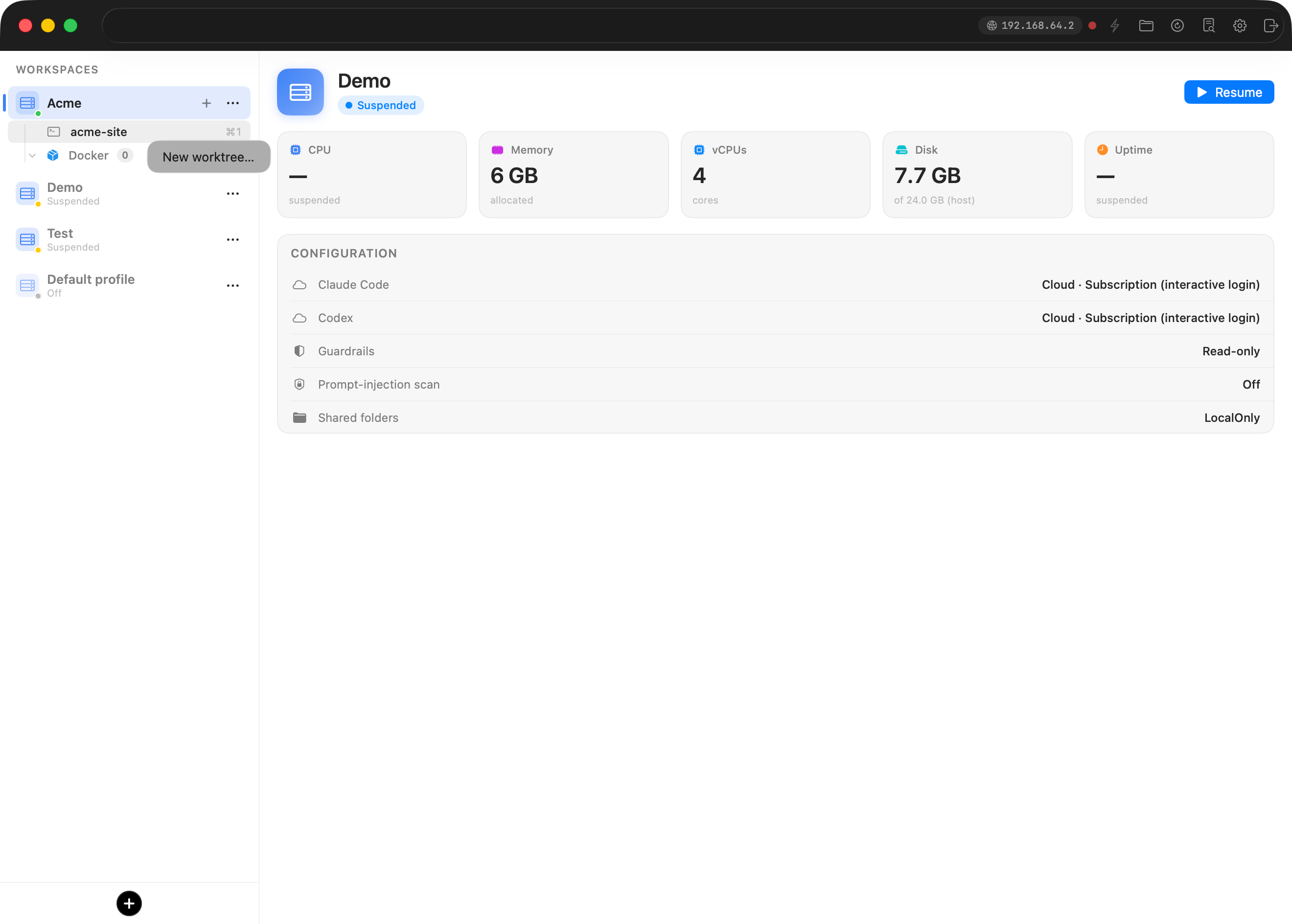
You get a small dialog: a task name, a tool picker (claude, codex, or grok, defaulting to the workspace's tool), and an optional initial prompt.
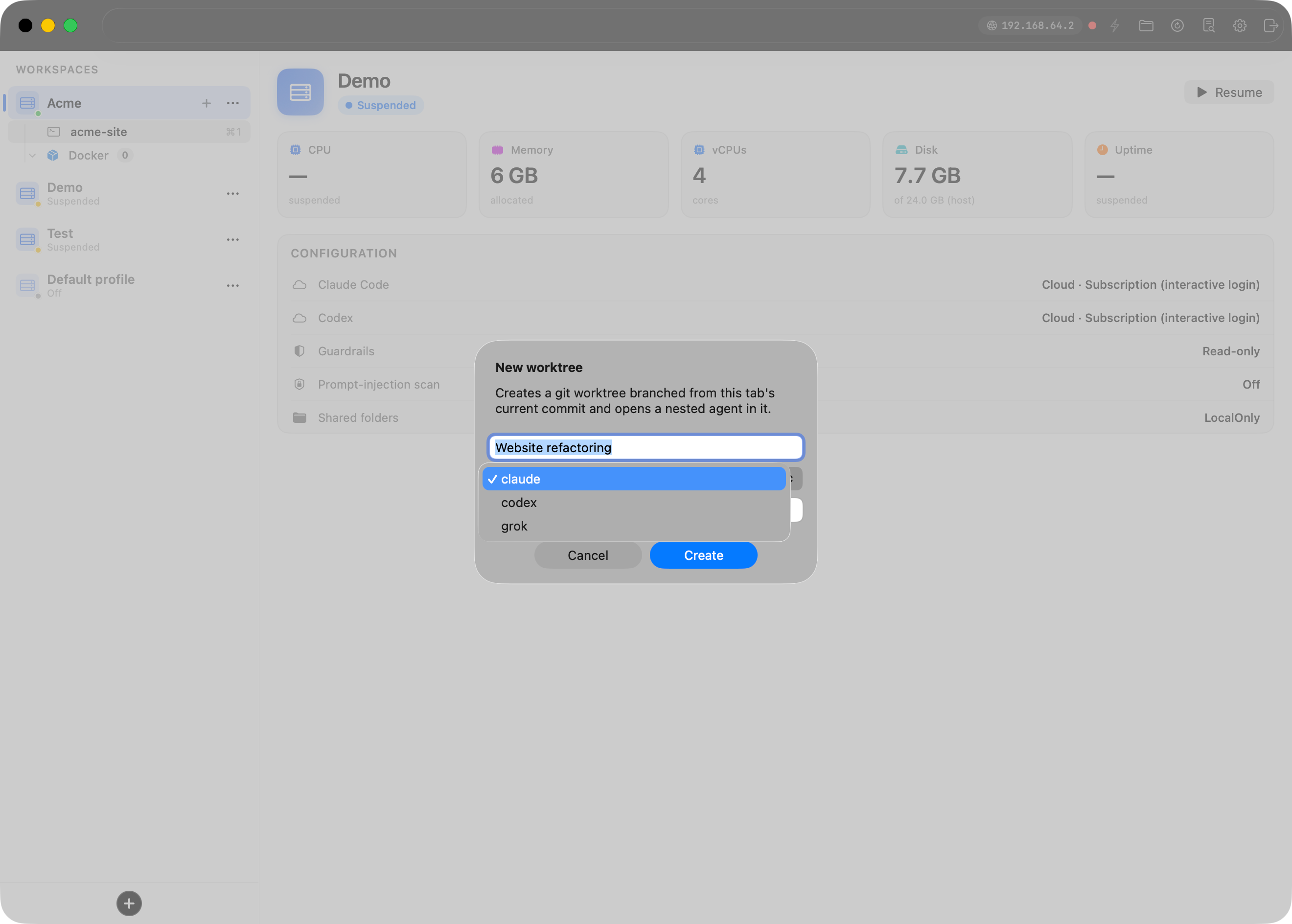
Hit Create and, inside the VM, Bromure:
- cuts a branch
wt/<slug>from the tab's current commit (task name "Website refactoring" → branchwt/website-refactoring), - checks it out under
~/.bromure/worktrees/<repo>/<slug>, - copies in any gitignored files your repo lists in
.worktreeinclude(more on that below), - opens a new tab in that directory, and
- starts the tool you picked, installing it first if the VM lacks it, seeded with your initial prompt.
A few seconds after typing a task name, an agent is working on it on its own branch.
Watching a fleet
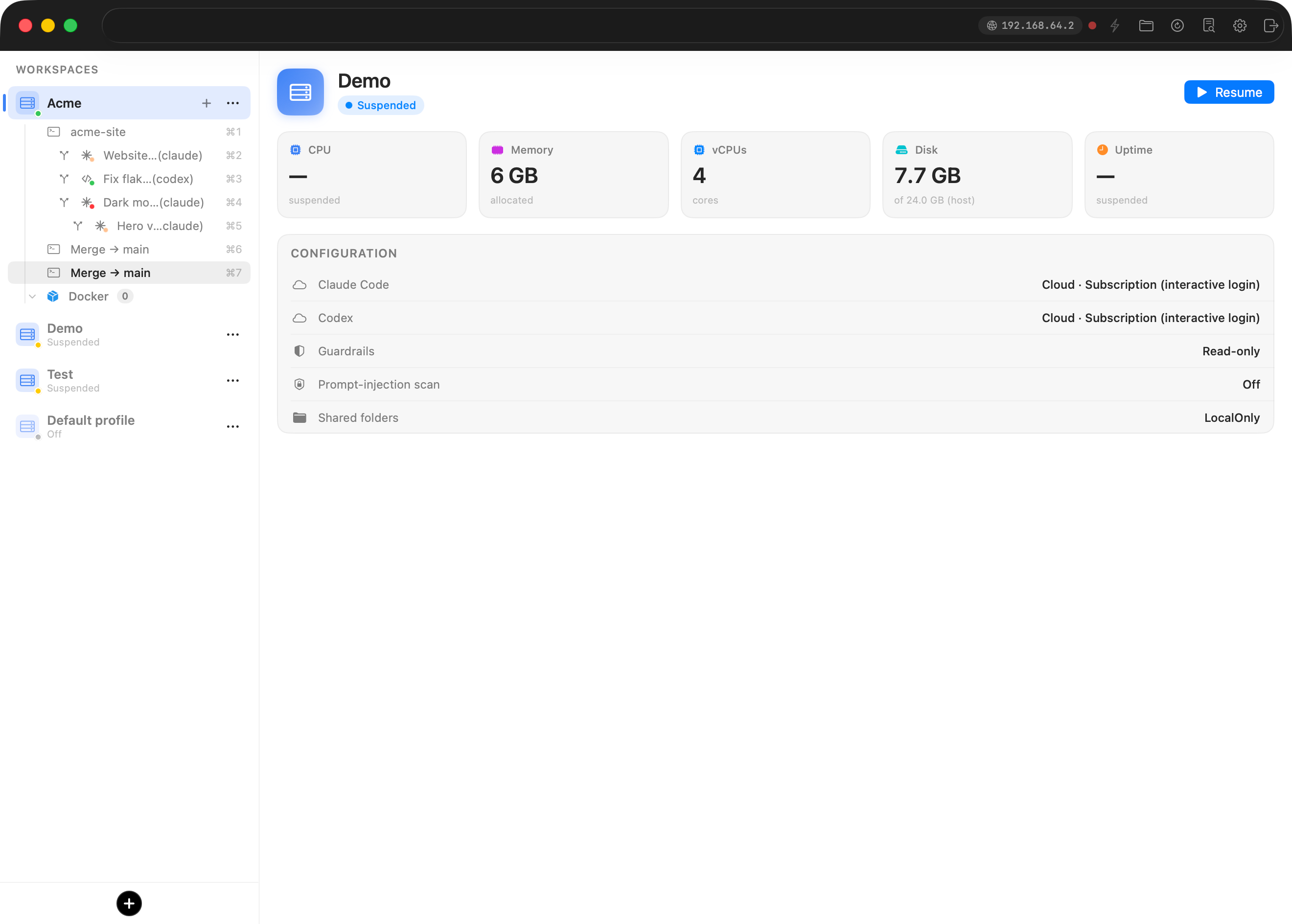
Each worktree is a tab in the workspace's source list, marked with a branch glyph and indented under the tab it came from. The icon shows which agent is running, and a status dot shows its state: pulsing orange while it works, green when it's done, red when it needs you. One glance at the sidebar answers "who's blocked?" without opening anything.
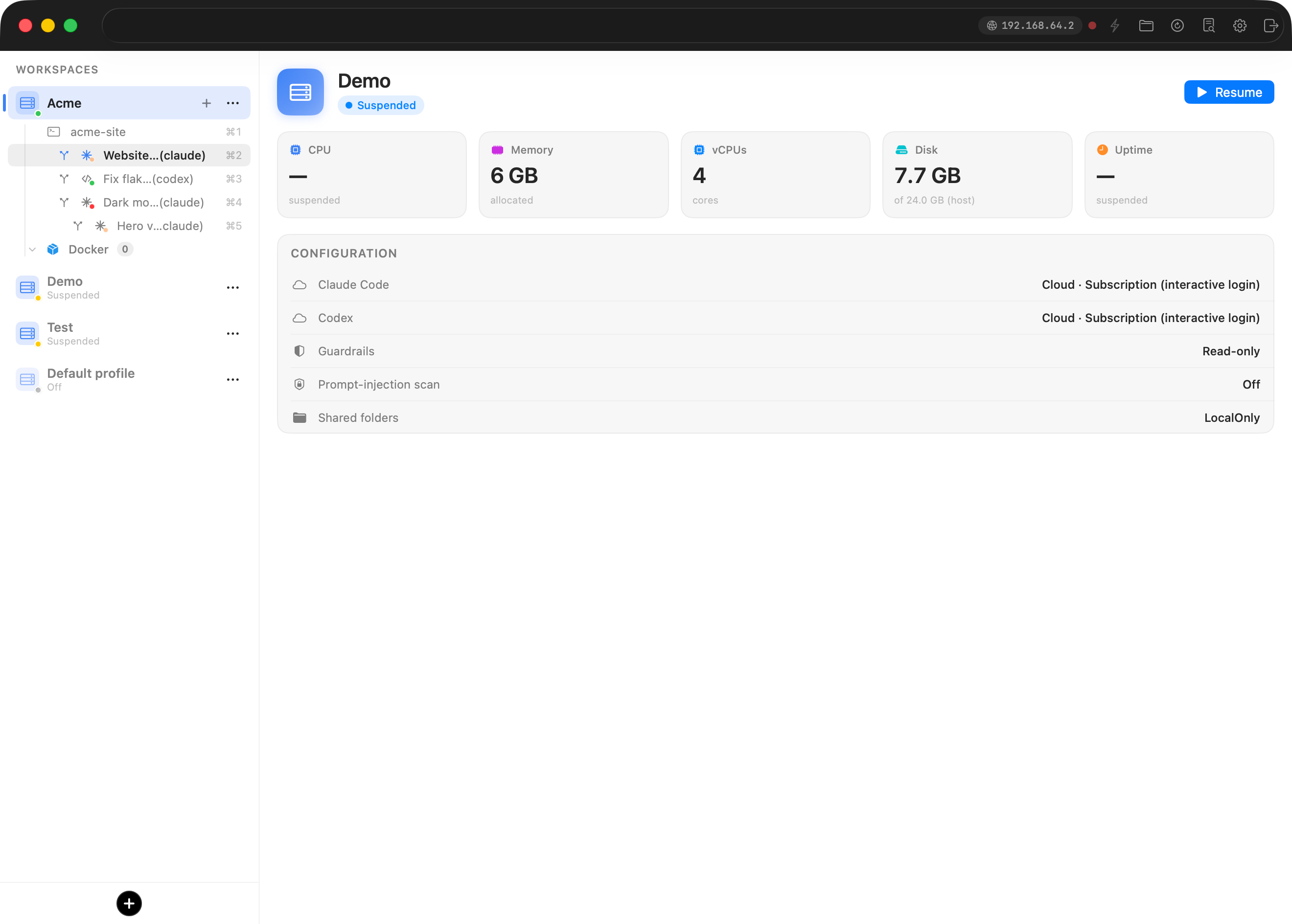
Worktrees nest. A worktree tab is itself a git checkout, so New worktree… works there too. The agent refactoring the website can spawn a sub-agent trying a risky variant on a child branch of wt/website-refactoring, indented one level deeper.
Merging back
When a worktree's status dot goes green, right-click it and choose Merge… (or ⇧⌘M). Because worktrees nest, the dialog asks where to merge: the destination popup lists the ancestor chain, from the immediate parent branch up to the repo's root checkout, with a warning suffix on anything that skips intermediates.
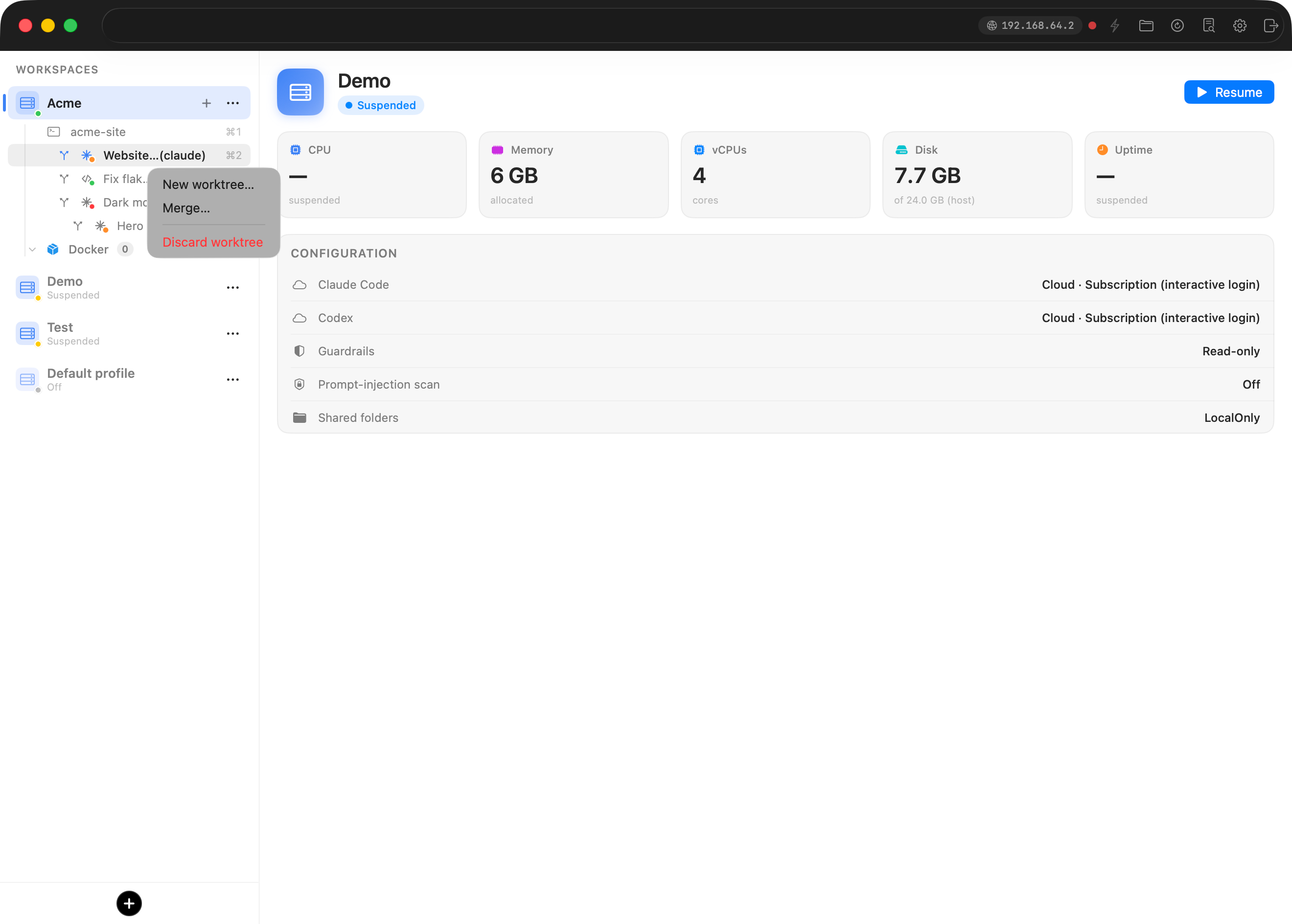
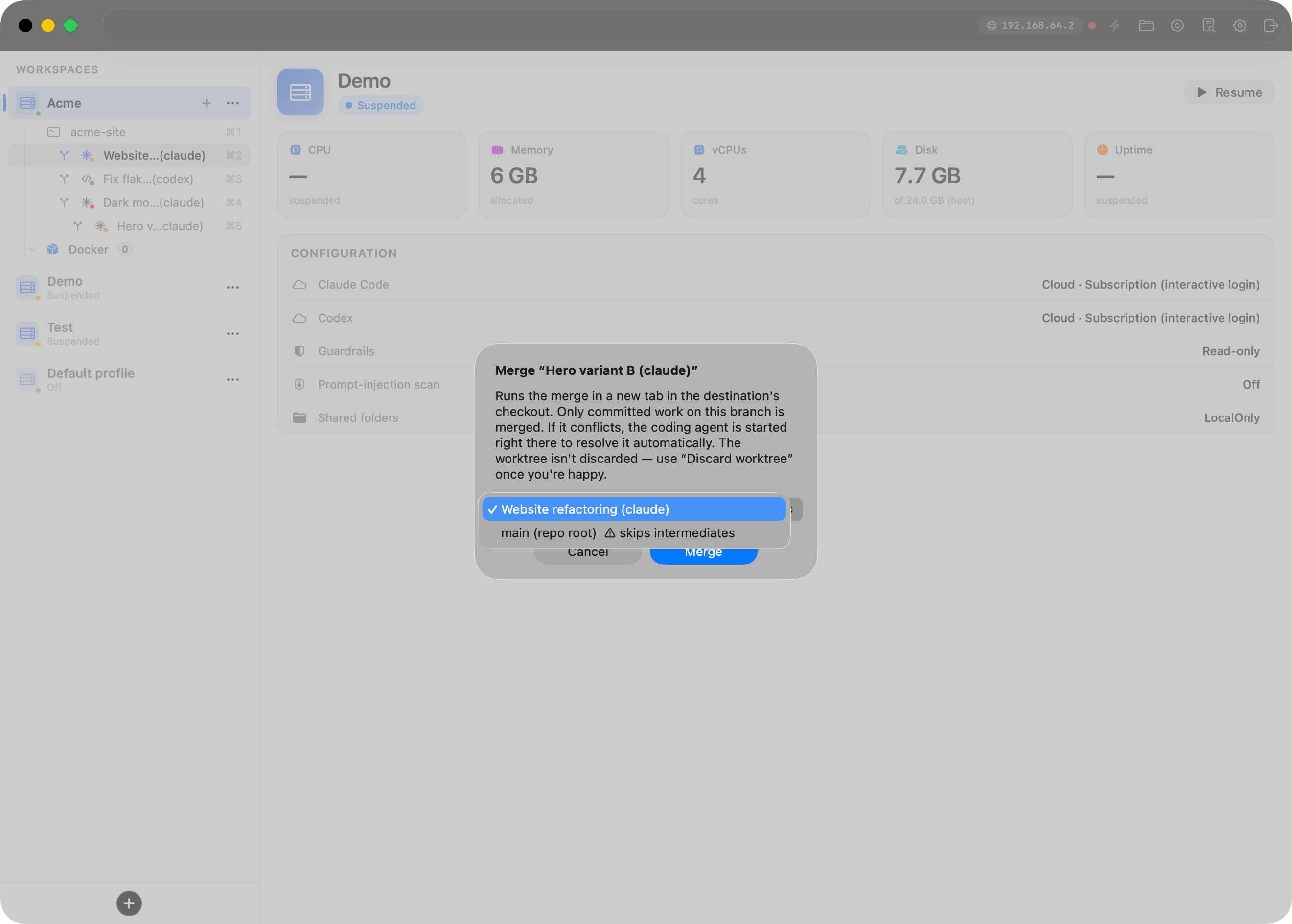
The merge doesn't hide anything. It runs in a new tab in the destination's checkout, so you watch it happen. Only committed work on the worktree's branch merges across. Two outcomes:
- Clean: the tab prints
bromure: merged wt/website-refactoring into main.and waits for Enter. - Conflicts: the tab prints
bromure: merge conflicts — starting claude to resolve…and launches the agent right there in the conflicted checkout, with instructions to resolve the conflicts, stage them, summarize what it did, and commit only after you confirm. Prefer to resolve by hand and change your mind later? The merge tab's context menu keeps a Have the agent resolve conflicts action.
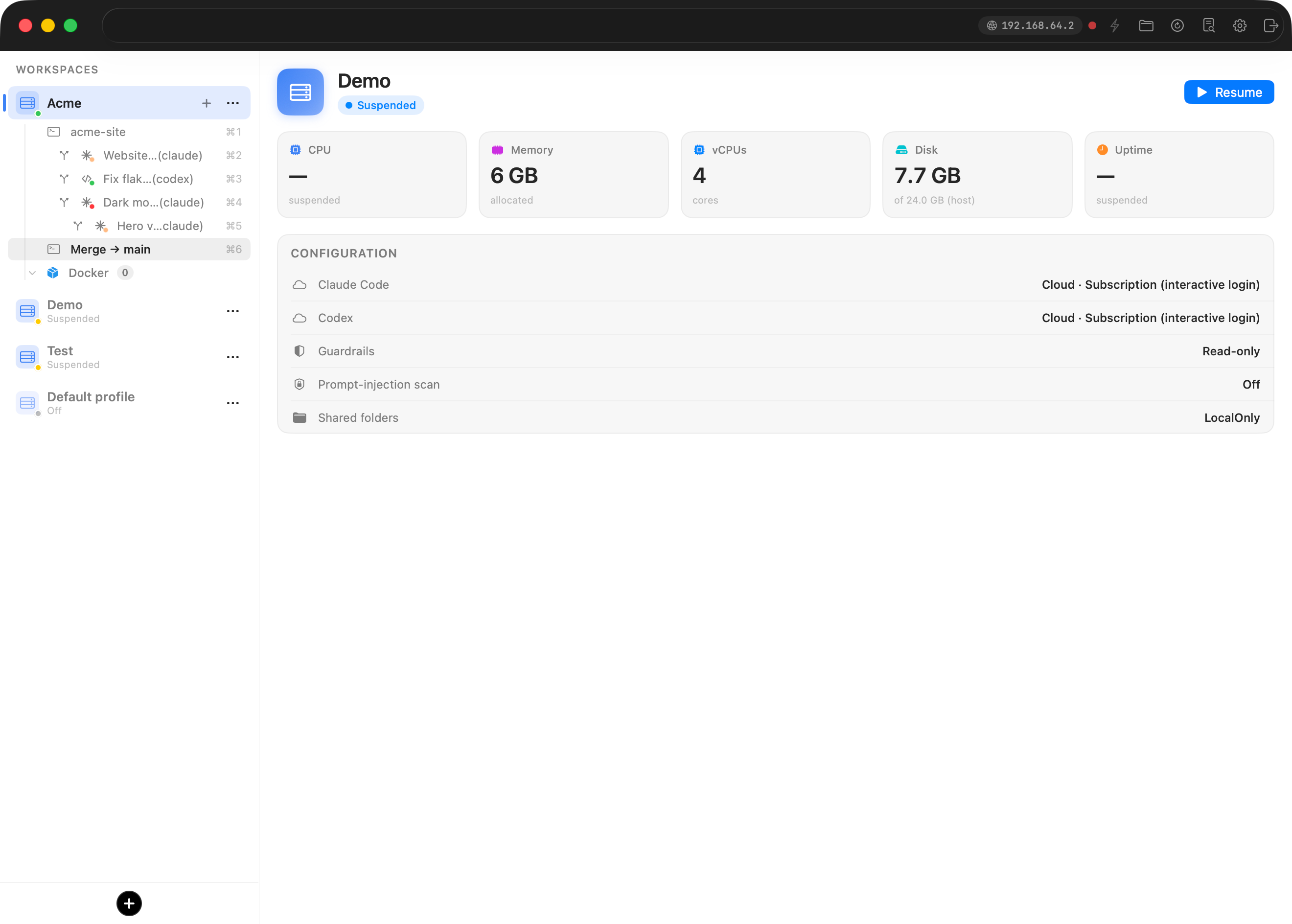
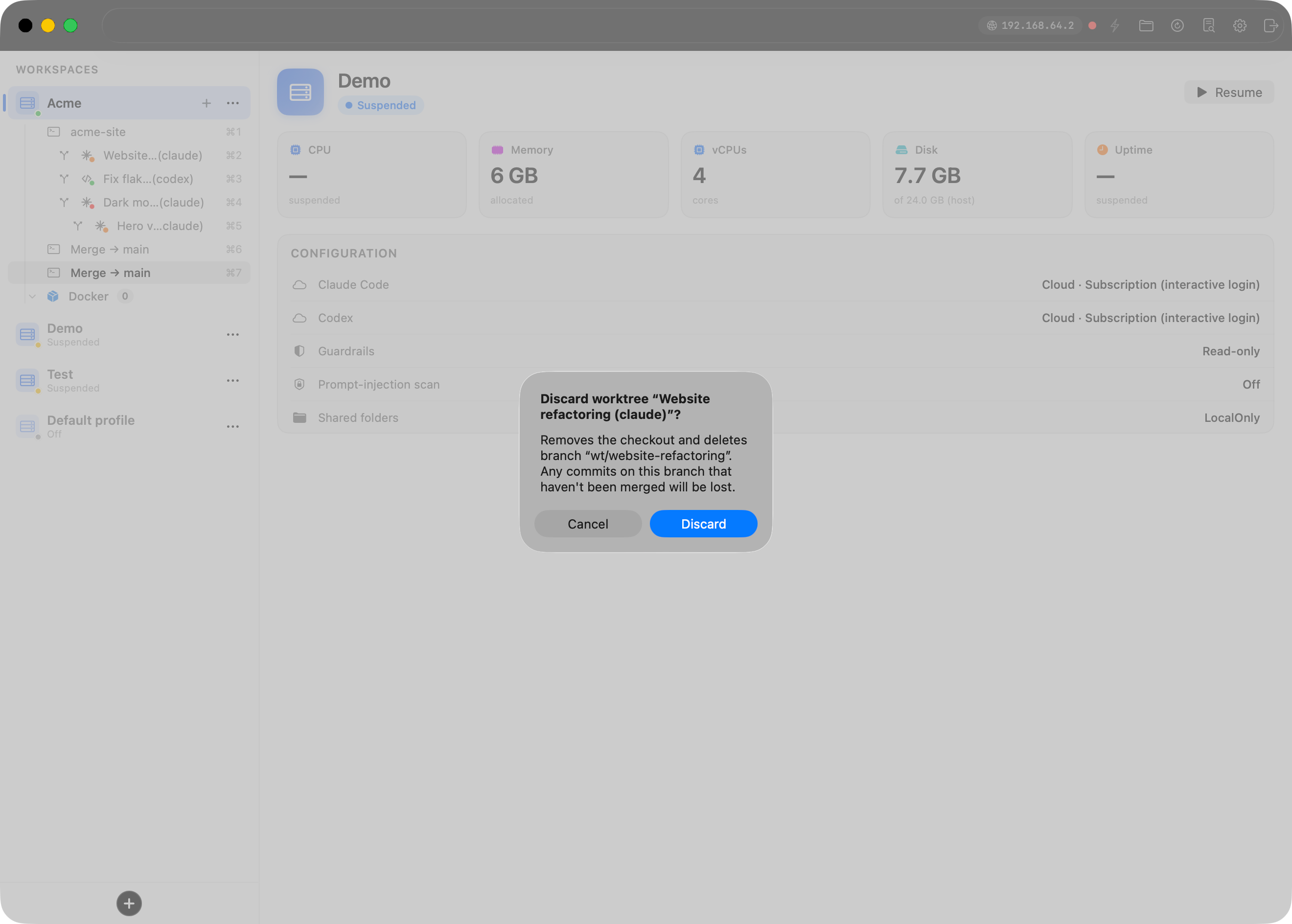
Merging leaves the worktree in place. You might want another round of changes, or to merge the same branch higher up the chain. When you're done for good, right-click → Discard worktree. That's the destructive one, and it says so: it removes the checkout, deletes the wt/ branch, and warns you that you'll lose any unmerged commits.
The details that make it livable
Gitignored files come along, if you ask. A fresh worktree is a clean checkout, so your .env, local certs, and tool tokens aren't in it, and an agent that can't start the dev server isn't much use. Put a .worktreeinclude file at your repo root (one relative path per line, the same convention Claude Code uses) and Bromure copies those files from the main checkout into every new worktree.
Your uncommitted changes stay yours. Bromure cuts a worktree from the tab's current commit, not its dirty state. Half-finished work in the parent tab stays out of the agent's checkout, and the reverse holds too.
Worktrees survive a reboot. Tabs are ephemeral, but the checkouts and branches live on disk, and Bromure keeps a small per-repo registry. Shut the workspace down, start it a week later, and your worktree tabs reappear with the same branches, the same labels, and the agents relaunched.
It works over SSH. You can reach every workspace remotely, and the terminal UI has full worktree parity: a 🌿 Worktrees… menu lists every worktree and merge tab in the repo, and you can create, merge, resolve, and discard from a phone over SSH the same way you would on the Mac.
Failures don't take the app down. Worktree operations run inside the guest. If one fails (directory vanished, not a git repo, tmux hiccup), you get a log entry and a non-blocking sheet on the workspace window, not a modal that freezes everything else.
Two kinds of isolation, one workflow
Worktrees and VMs solve different halves of the same problem. The worktree isolates the repository state, so parallel agents can't corrupt each other's work. The VM isolates everything else, from filesystem to network to credentials, so you can let those agents run unsupervised. Bromure Agentic Coding composes the two: type a task name, pick an agent, and get an isolated branch, an isolated checkout, and an isolated machine, all behind one tab.
The whole flow is three keystrokes deep: ⇧⌘G to delegate, a green dot when it's done, ⇧⌘M to merge. The rest is git, the boring and reliable kind.
Worktrees require Bromure Agentic Coding 4.0.8 or later. Bromure Agentic Coding ships as part of Bromure — download it at bromure.io/download. Worktree support also needs a workspace running the current in-VM agent, so restart older workspaces once to pick it up.