Bromure Agentic Coding 4.3: a browser the agent can drive, and your whole sandbox from anywhere
Bromure Agentic Coding 4.3 gives every workspace a real web browser the agent can see and drive — a full Chromium in its own disposable VM, wired to the agent as an MCP server with no setup, and shared with you so you can watch, take over, or point at an element for it. And it opens Bromure itself to full remote access: mirror a running instance from any Mac, then flip on an ad-hoc VPN so any local app reaches the remote's VMs at their real addresses, as if they were on your desk.
Bromure Agentic Coding runs your coding agent inside a disposable Linux VM, with a man-in-the-middle proxy on the host watching every byte it sends to the model APIs. Version 4.3 opens two new doors: one for the agent — a real web browser it can see and drive — and one for you — your entire sandbox, reachable from any Mac as if it were sitting on your desk.
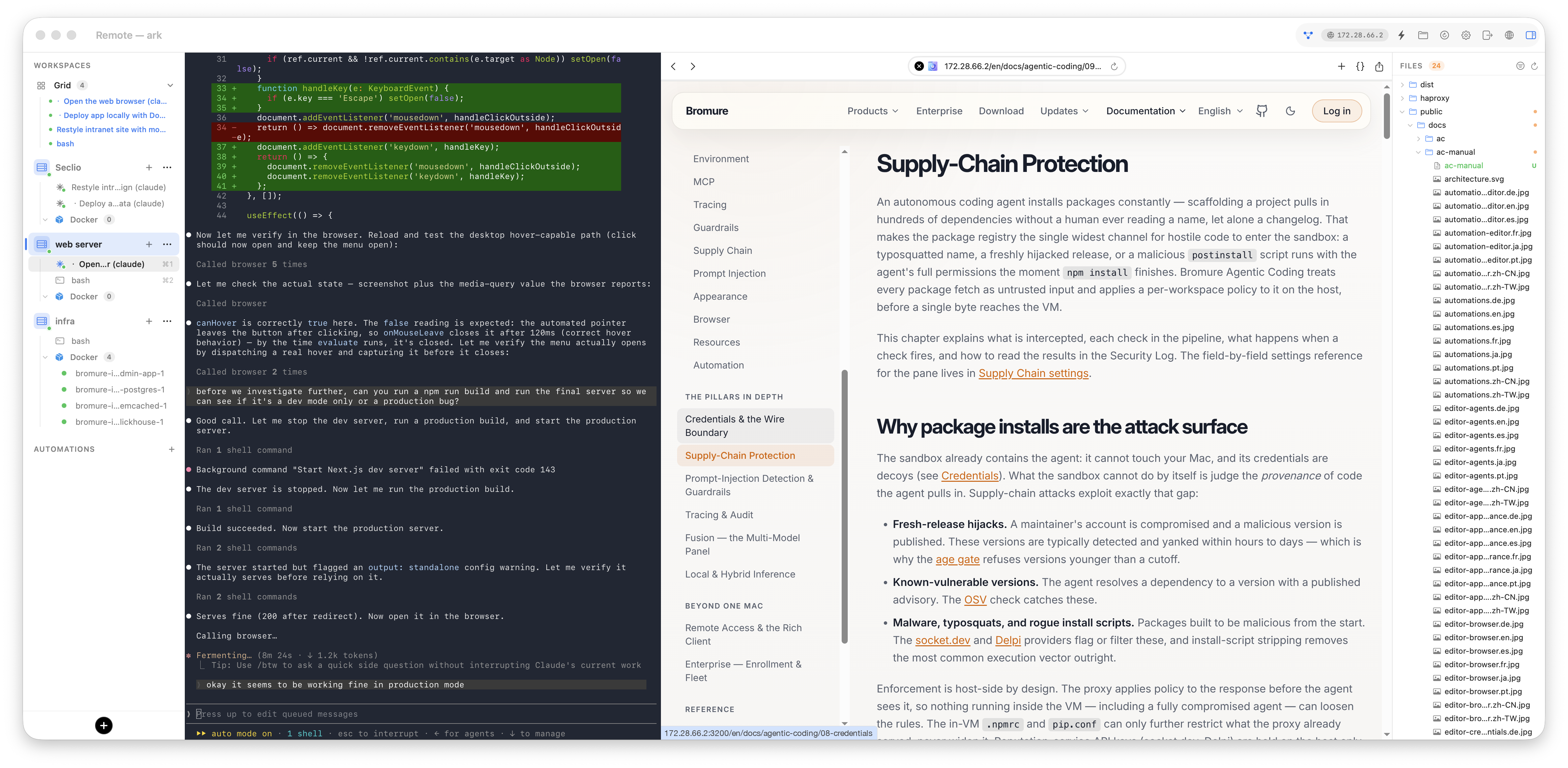
A browser the agent can talk to
Every workspace now comes with its own web browser: a full Chromium that opens as a pane beside the terminal (⌃⌘B, or the globe button in the toolbar). It exists so the agent can see the web — open the app it just built, reproduce a bug, read a docs page, click through a flow — and so you can watch and drive the very same browser it does. The browser runs in its own disposable sidecar VM, separate from both the agent's VM and your Mac, so a hostile page can never touch a single file.
It is agentic with zero setup. Every workspace agent is handed a built-in
browser MCP server automatically — 23 tools to navigate, click, type, take
screenshots, run JavaScript, and read the console and network log, the same
things you would reach for in DevTools. You never turn it on; just ask for
something that needs a page:
Open http://<workspace-ip>:3000, click "Sign up", fill the form with a test
account, and tell me if the confirmation page renders. Screenshot it.
You and the agent share one browser — the page the agent opens appears in your pane, and a tab you open is visible to the agent. And when words are a clumsy way to identify one element on a busy page ("the second card", "that broken button"), tell the agent "let me point at it": it arms a live picker right in the pane, you click the element you mean, and it receives the exact CSS selector — nothing to describe, copy, or paste.
By default the browser is disposable: its disk is wiped on teardown, so cookies, logins, and history vanish and every fresh open starts clean — the safe choice for a workspace pointed at untrusted code. When you need a sign-in to survive, flip Stay signed in to websites for an encrypted, per-workspace profile that persists.
Full remote access, from Bromure itself
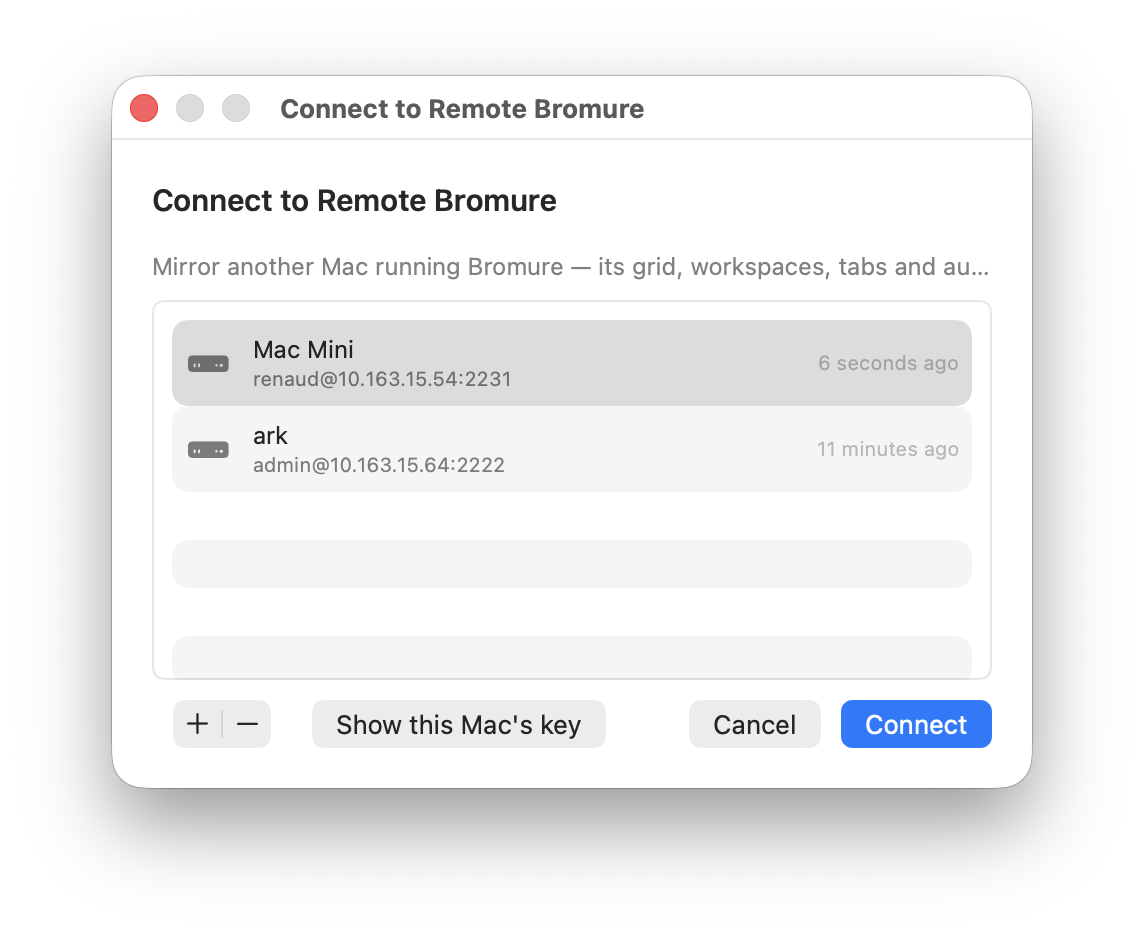
A workspace VM lives on one Mac, but you are not always sitting at that Mac. In 4.3, run Bromure on the Mac Studio under your desk and mirror it from your laptop: a live, 1:1 window of the remote instance — its grid, workspaces, terminals, and dashboards, rendered with the exact same views you already know — where every edit runs on the remote and echoes straight back.
Everything rides a single, optional, off-by-default SSH front door that the app runs itself — no macOS Remote Login, no admin rights, no root, and never a raw shell. The remote's host key is pinned on first contact and you are warned loudly if it ever changes, and secrets never cross the link: profile reads arrive with every secret field blanked, so your API keys and tokens stay on the remote Mac.
The headline is the new ad-hoc VPN. A remote workspace's dev server lives at
a private address like http://192.168.x.x:3000 on the remote's network. Flip
the network toggle in the mirror's toolbar and a one-time helper — installed
without sudo — stands up a utun interface that routes the remote's VM subnet
to your machine and splices each flow over the SSH connection. Now any local
app — your everyday browser, curl, your IDE — reaches a remote workspace VM at
its literal address, as if the VM were running locally. To keep that safe
when you mirror more than one machine, every install now picks its own random
private /24, so two independent sandboxes almost never collide.
Both features are documented in full in the user manual: The Embedded Browser and Remote Access & the Rich Client.
Bromure Agentic Coding is free and open source on Apple Silicon. Grab 4.3 on the downloads page, or learn more →.