Say no to
ransomware
Your browser is the most attacked software on your computer. Every tab is an act of trust. Bromure makes sure that trust can never be exploited.
Download for macOSApple Silicon (M1 or later) · Free & Open SourceYour browser is the front door to every attack.
Millions of lines of code parsing HTML, JavaScript, images, fonts, video, WebAssembly, PDFs — all from sources you don't control. Ransomware encrypts your files through a browser tab. Drive-by downloads install malware you never asked for. A single zero-day in any parser can hand an attacker your documents, your photos, your Keychain. And private browsing mode? It can't erase what was never contained in the first place.
“This seems very cool.”
Bromure throws the whole OS away.
Every browser session runs inside a disposable virtual machine. The browser and your Mac don't share an operating system, a filesystem, or even a kernel.
Close the window, and the VM is destroyed — cookies, history, malware, trackers, all of it. Gone. No cleanup. No traces. No compromise.
- Ransomware can't escape. It only sees the VM's temporary filesystem. Close the window and it's gone.
- Credential theft is contained. Keyloggers and clipboard hijackers can't see outside the VM.
- Zero-days have nowhere to go. Even a chained browser + OS exploit only compromises a throwaway VM.
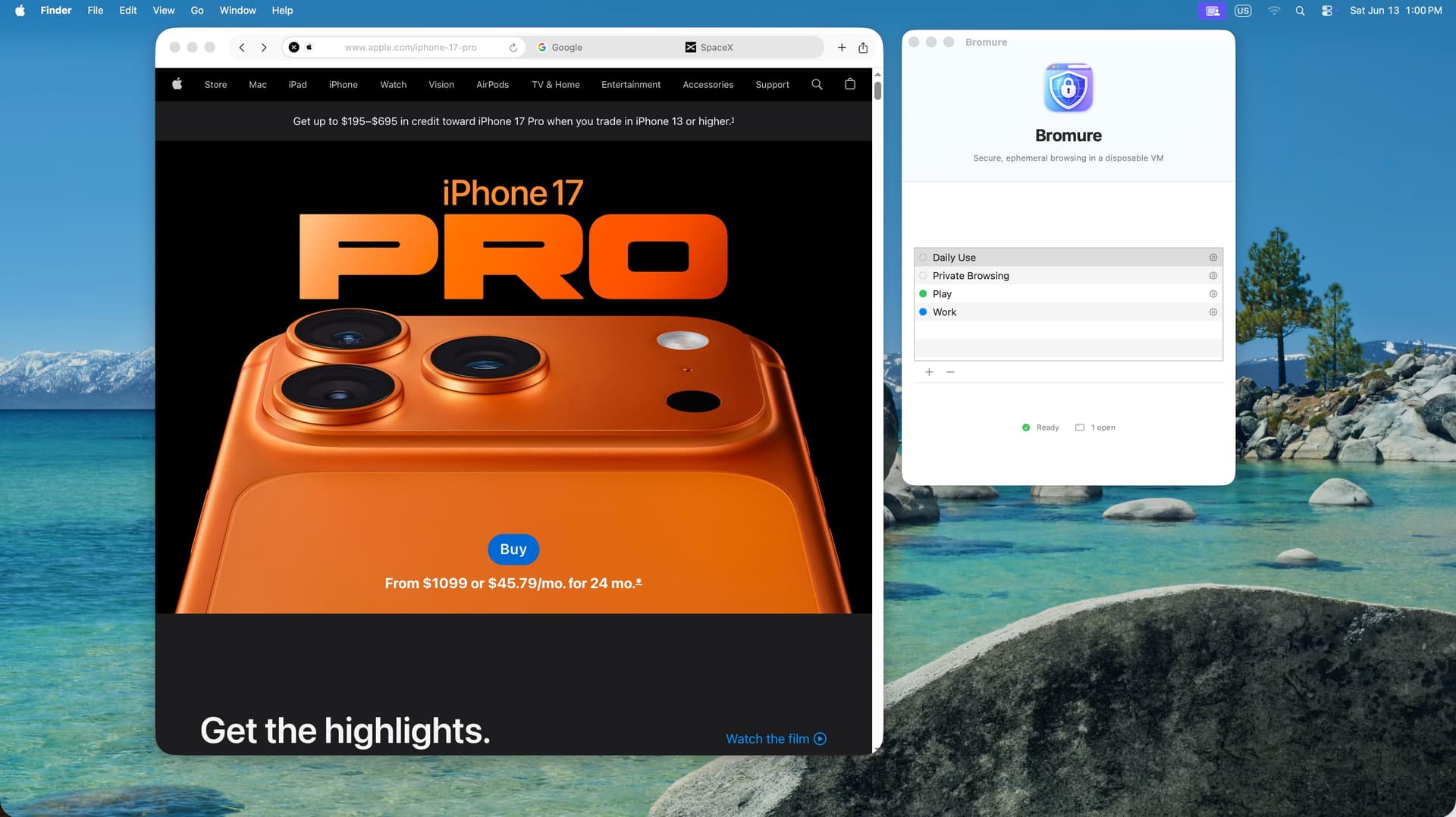
Instant launch. No waiting.
Bromure pre-warms a pool of ready-to-go VMs in the background. Your first window takes a few seconds; every window after that opens in under a second. Add Bromure to your Login Items and a warm VM is always ready when you need it.
Be the work You. Be the fun You.
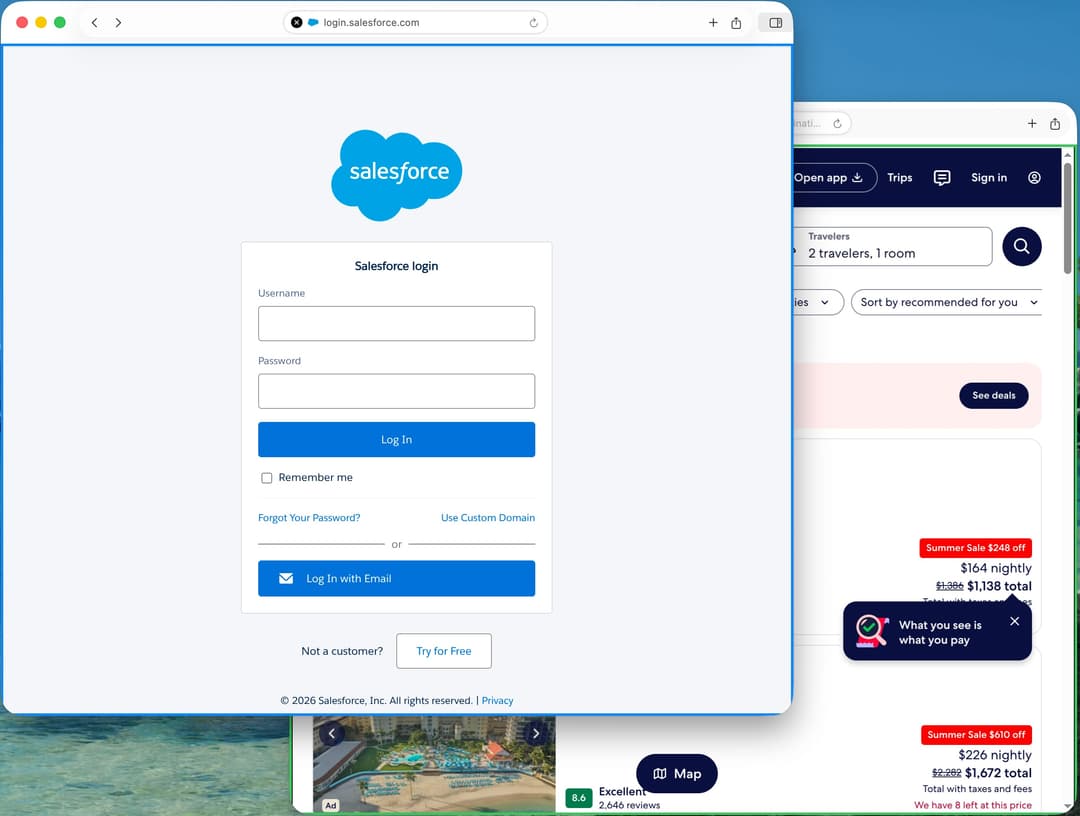
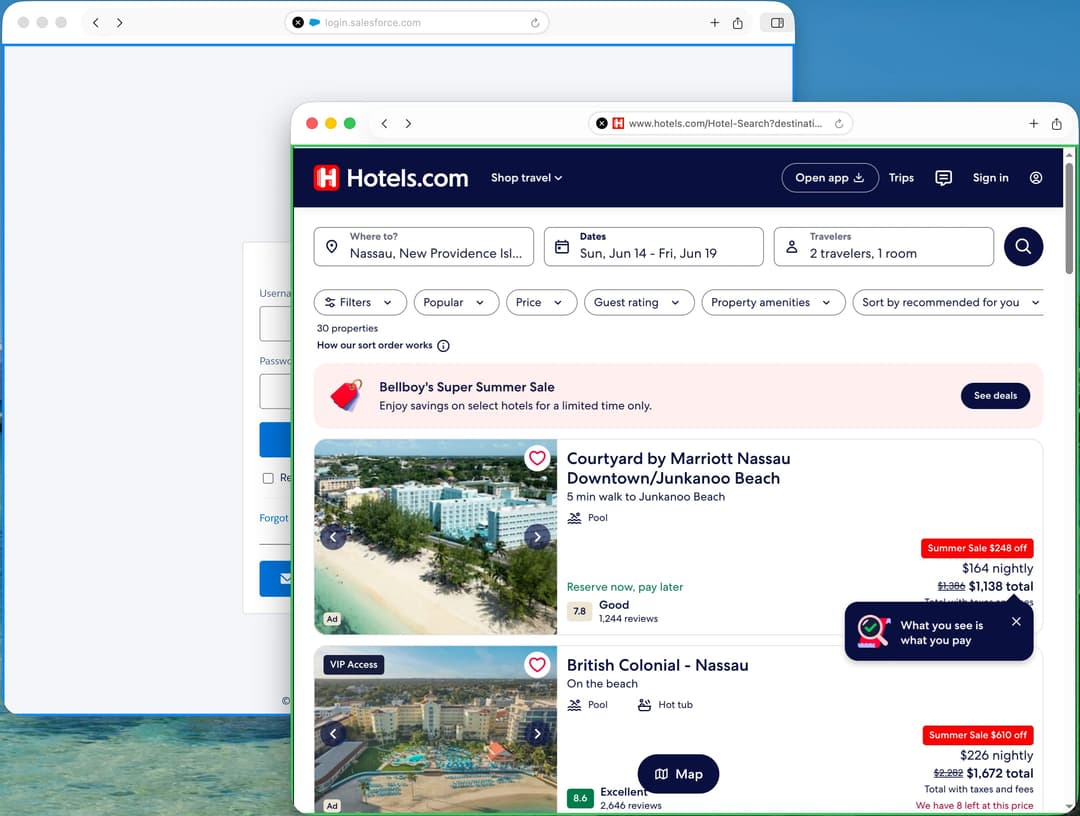
Create named profiles for different contexts — Work, Personal, Banking, Shopping, Research — each with its own color-coded window border, its own permissions, its own world. Nothing is ever shared between them.
Per-profile permissions
Downloads, webcam, microphone, clipboard, local network — everything is off by default. Enable only what each profile needs.
Persistent storage
Optionally keep bookmarks, history, and cookies between sessions with LUKS encryption and keys stored in your macOS Keychain.
iCloud sync
Profiles sync across your Macs so your setup follows you everywhere.
Always look your best... or someone else's.
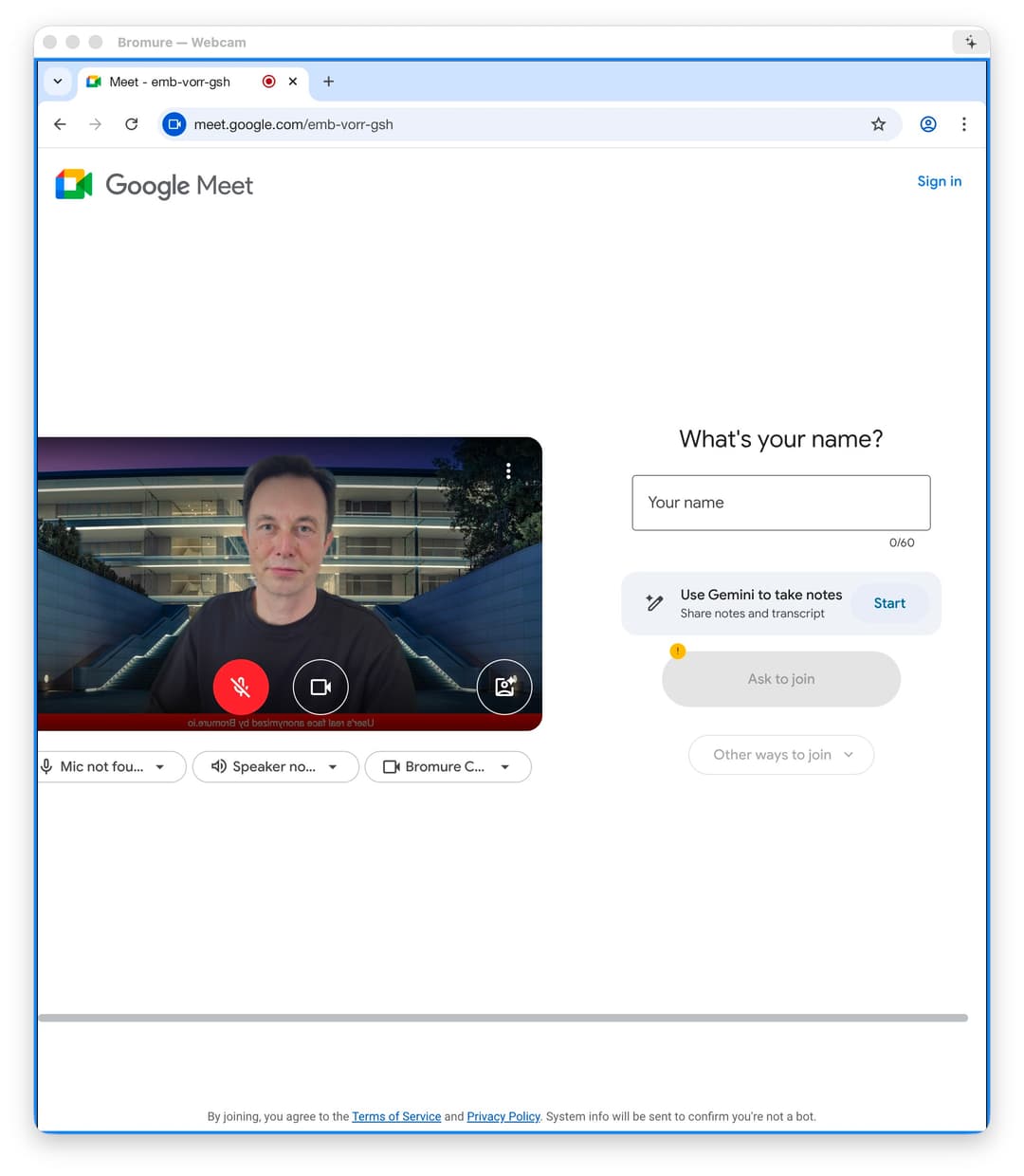
Bromure's webcam module lets you attend video calls with a professional CNN-style lower third — your name, your title, your city. Or go completely incognito with the faceswap module and let someone else take the spotlight.
Perfect for whistleblowers, journalists, or anyone who needs to be on camera without being recognized. A visible banner lets other participants know the user's appearance has been anonymized.
X-ray every link.
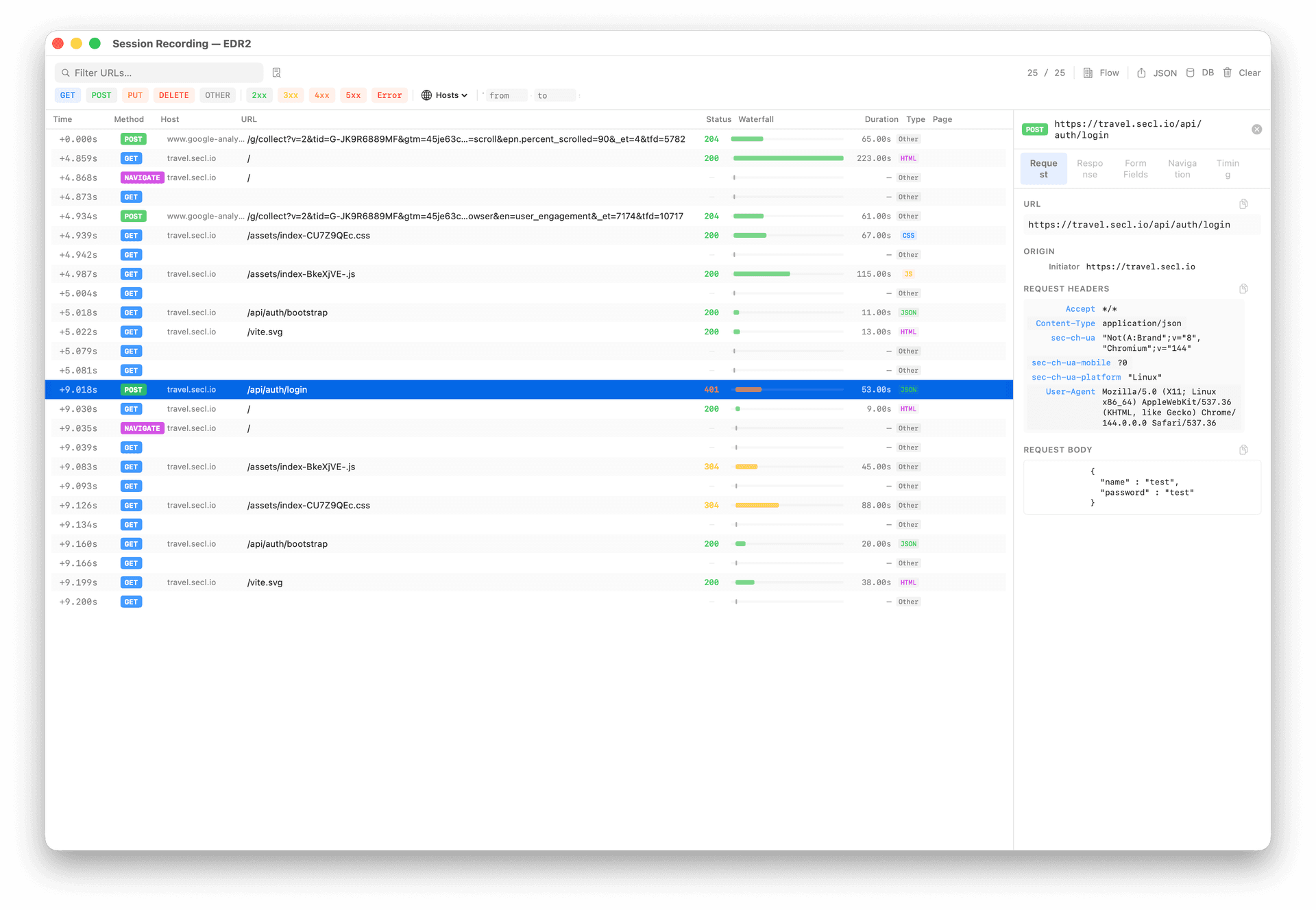
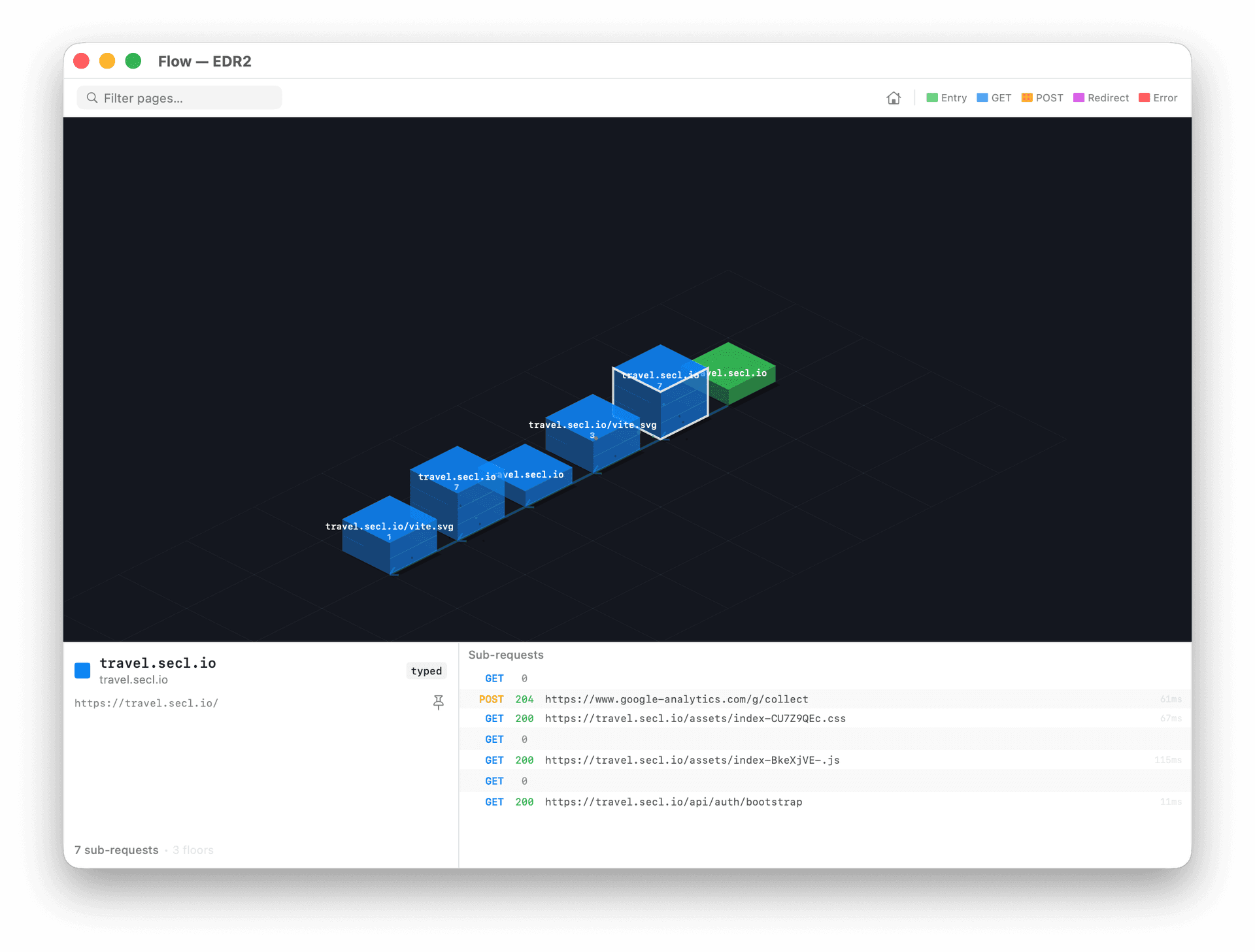
When someone sends you a suspicious link, clicking it in a regular browser is a leap of faith. With Bromure, you can trace exactly what happens — every HTTP request, every redirect, every byte of data leaving the browser — captured from outside the VM in a clean, uncompromised environment.
Optionally log everything the browser sends, including form data and credentials. View the full session trace in a traditional list or an interactive 3D isometric flow diagram. Know exactly what a link does before you trust it.
Meet your AI's new best friend.
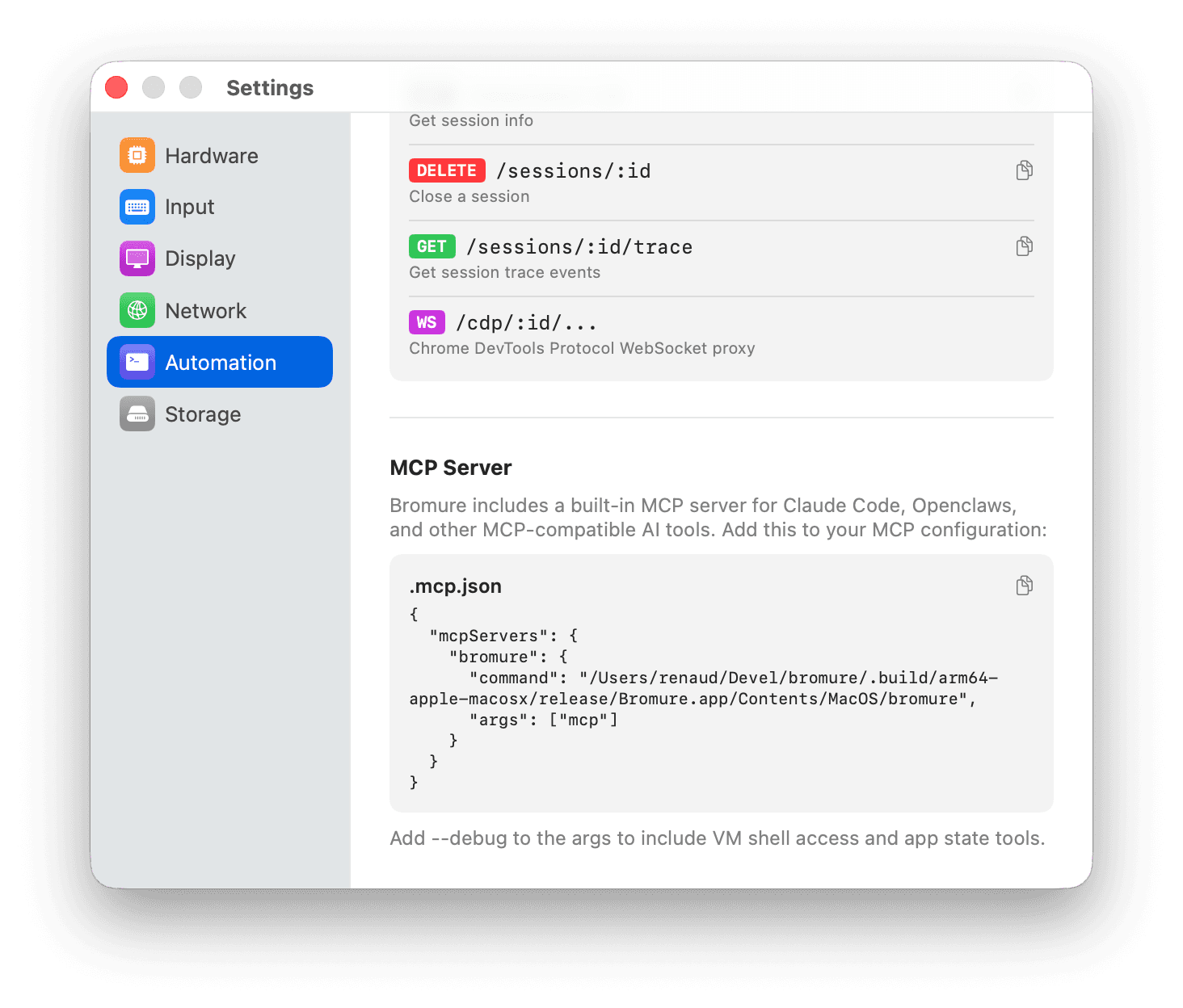
Bromure ships with a built-in MCP server that connects to AI tools like Claude Code, OpenClaw, and Codex. Let your AI query the web using profiles you've configured — a logged-in X account, an authenticated SaaS dashboard — without ever risking your real credentials or host machine.
Your AI gets sandboxed web access. You keep full control. No rogue downloads. No credential leakage. No surprises.
Everything you need. Nothing you don't.
Built-in VPN
Cloudflare WARP runs inside each VM — your IP is hidden from every website. No system-wide VPN needed. When the session ends, the WARP registration is destroyed.
Network-level ad blocking
A built-in DNS sinkhole and Squid proxy block ads and trackers before they reach the browser. Faster pages, fewer tracking scripts.
Malware scanning
Plug in your VirusTotal API key to scan every download for malware before it reaches your Mac. Optionally block anything flagged as a threat.
Network isolation
Prevent the browser from reaching your local network — printers, NAS, internal servers — while keeping full internet access. Port whitelisting available.
Media passthrough
Share your webcam, microphone, and speakers with websites inside the VM. Quality selection, live effects, and independent volume per profile.
Phishing warnings (Beta)
Experimental alerts when you're about to enter a password on a site that looks suspicious. An extra nudge to keep you safe.
Every secure browser polices the web. Bromure isolates it.
Talon and Island harden Chromium on your machine. Menlo isolates the web — in its cloud. Bromure runs every session in a disposable VM on your own Mac: real isolation, locally.
| Capability | TalonPrisma Access Browser | IslandEnterprise Browser | MenloRemote isolation | BromureWeb |
|---|---|---|---|---|
| Isolation & containment | ||||
| Isolates untrusted web code from your real OS | ||||
| Host stays safe if the browser is exploited | ||||
| Disposable sessions that leave no trace | ||||
| Isolation that runs locally, not in a vendor cloud | ||||
| Device & data controls | ||||
| Real webcam and mic inside a secure session | ||||
| Download and upload controls | ||||
| Malware scanning of downloads | ||||
| Copy-paste and screenshot controls | ||||
| Blocks data leaving to local printers, NAS and USB | ||||
| Web protection | ||||
| Phishing detection | ||||
| URL and category web filtering | ||||
| Built-in per-session VPN and IP masking | ||||
| Browser extension governance | ||||
| Enterprise management | ||||
| Central console and managed profiles | ||||
| Session logging and full audit trail | ||||
| SIEM and OpenTelemetry export | ||||
| Enforce use via Okta, Workspace or Entra | ||||
| Access auto-revoked when a user is offboarded | ||||
| Content-aware DLP and file sanitization | ||||
| BYOD and unmanaged devices | ||||
| Platform & model | ||||
| Runs on every major platform | ||||
| Open source and free to use | ||||
| Runs on-device with no per-seat cloud | ||||
Talon and Island make the browser a better-policed front door — but it still runs on your real OS. Menlo adds true isolation, then routes every page through its cloud. Bromure is the only one that seals each session in a disposable VM on your own machine: nothing reaches your Mac, nothing leaves your device, and closing the window erases all of it.
Compiled from public product documentation (Palo Alto Networks, Island, Menlo Security) in June 2026. Partial marks capabilities that are limited, optional, licensing-gated, or — for Bromure phishing detection — still in beta.
Stop trusting your browser. Start isolating it.
One browser. Total isolation. Zero compromise.
Download for macOSApple Silicon (M1 or later) · Free & Open Source