Every machine,
one hive.
Sidecar brings a Mac that runs outside the sandbox into Bromure Agentic Coding. Its agents join your rooms, your Switchboard, your task board and your automations, right beside the agents in your VMs.
DownloadmacOS 14 or later · Windows and Linux coming soon · Free & open sourceA Mac in your fleet, like any other machine.
Install Sidecar on a Mac, and Bromure Agentic Coding lists it next to your VMs. Its sessions open in the same window, answer the same @-mentions and show up wherever your other agents do.
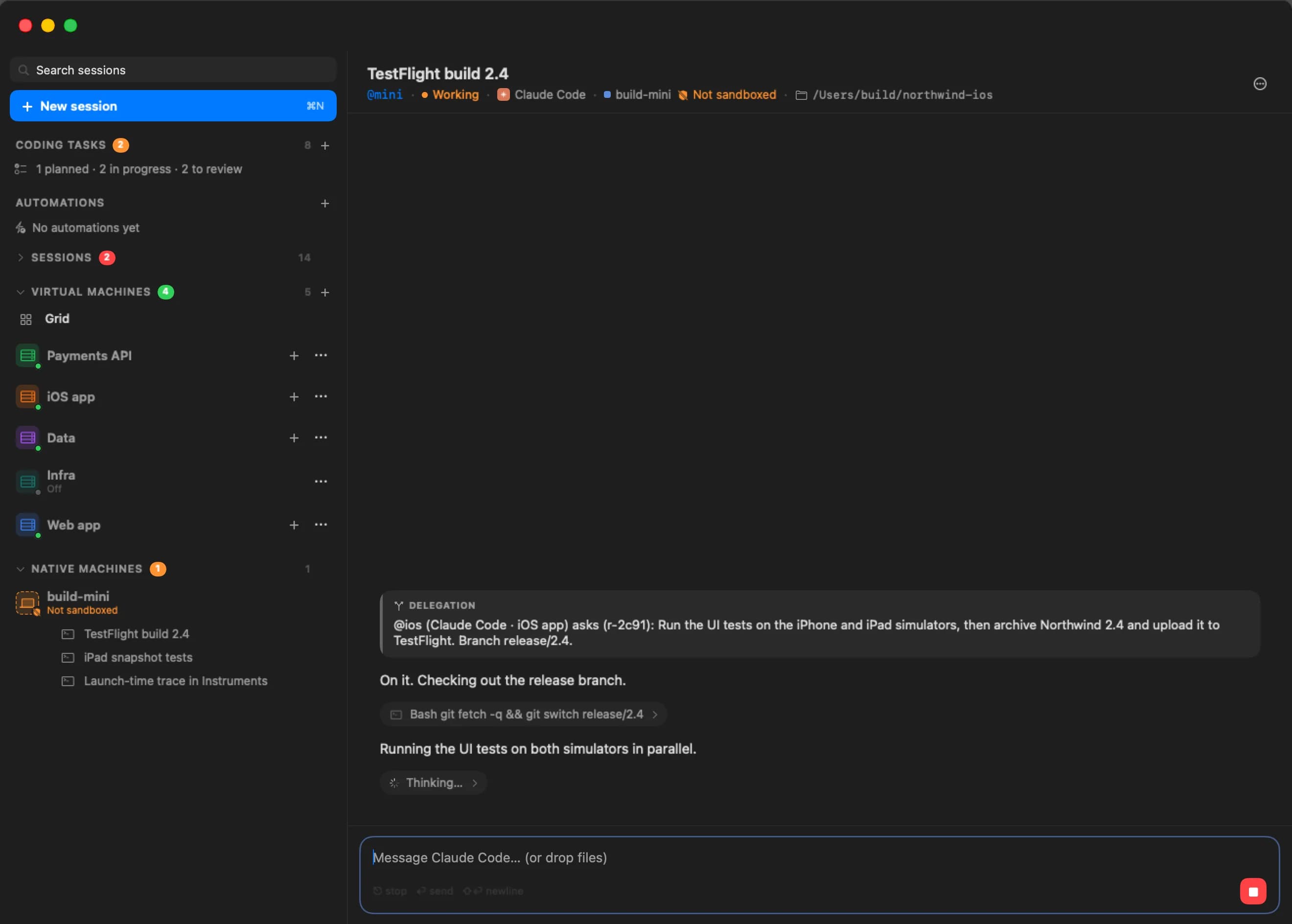
One more machine
The Mac appears in your machine list beside your VMs, with its sessions, terminals and files.
Agents, natively
Claude Code, Codex, Grok Build, Kimi Code and Oh My Pi run right on the Mac, each installed with its maker's own installer. Quit the app and they keep running.
Nothing connects in
Sidecar always dials out, through bromure.io or to the Bromure Agentic Coding on the same Mac. It joins your fleet only after you let it in.
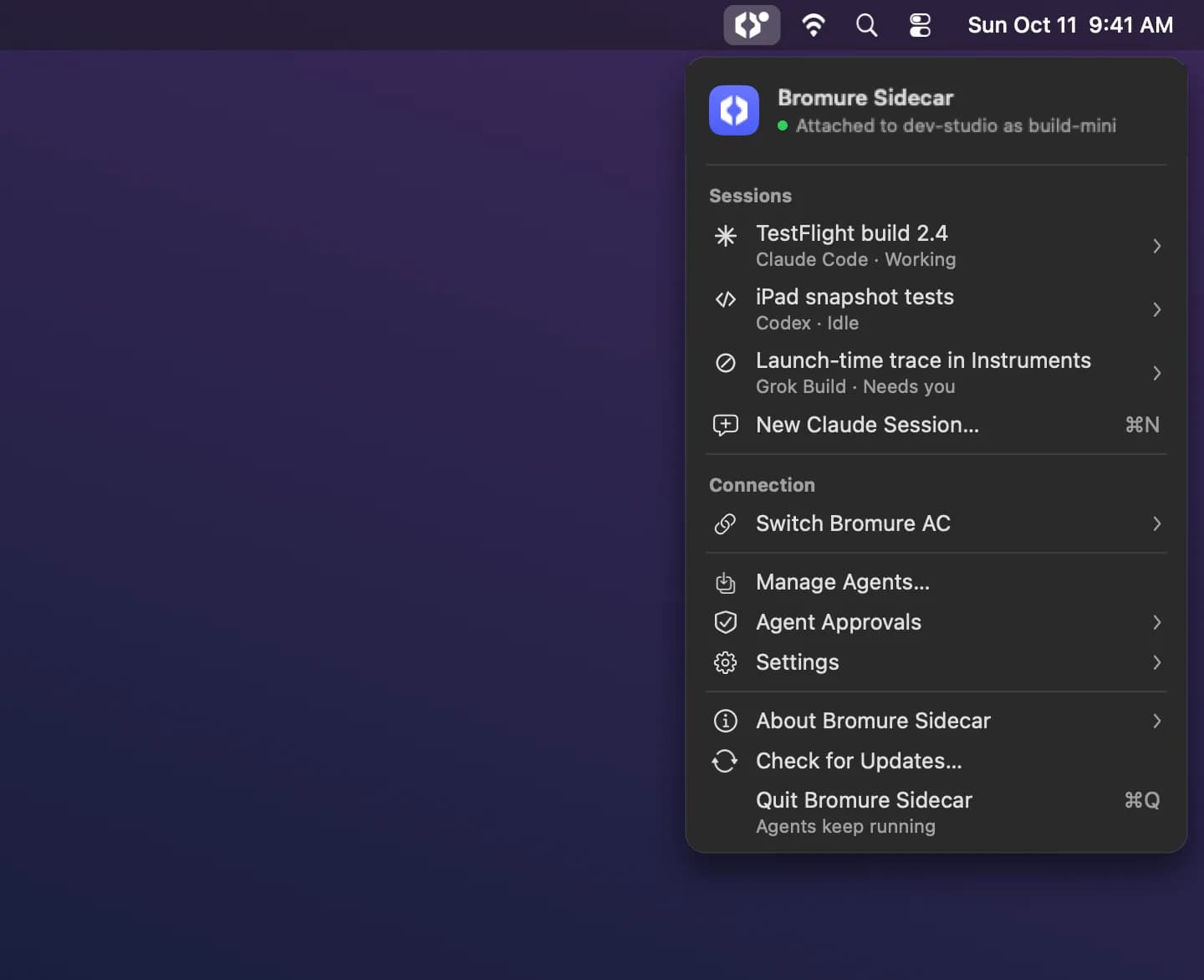
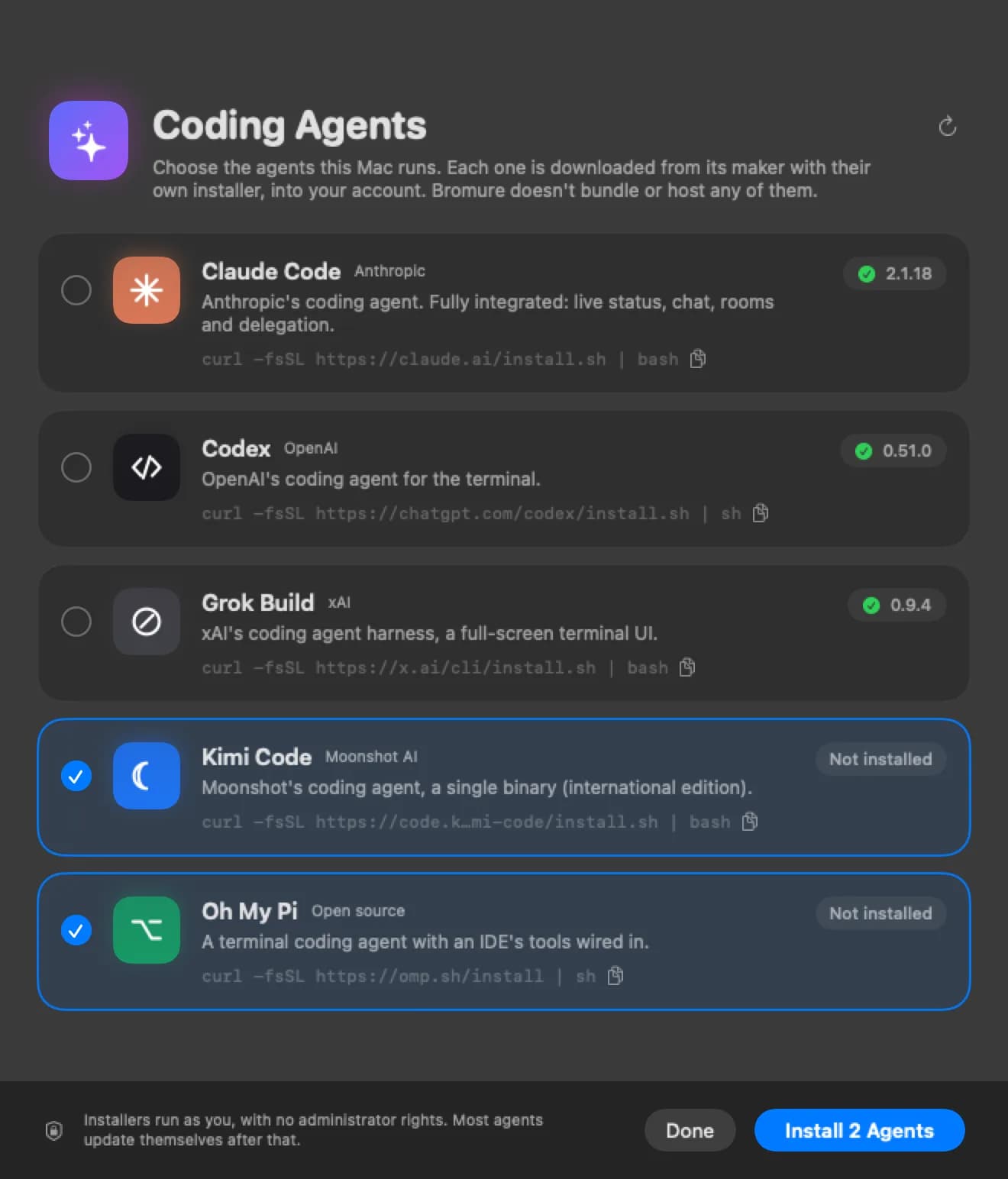
Sandboxed and unsandboxed, managed as one.
A Sidecar session works with everything Bromure Agentic Coding already does, so you stop keeping track of which agent runs where.
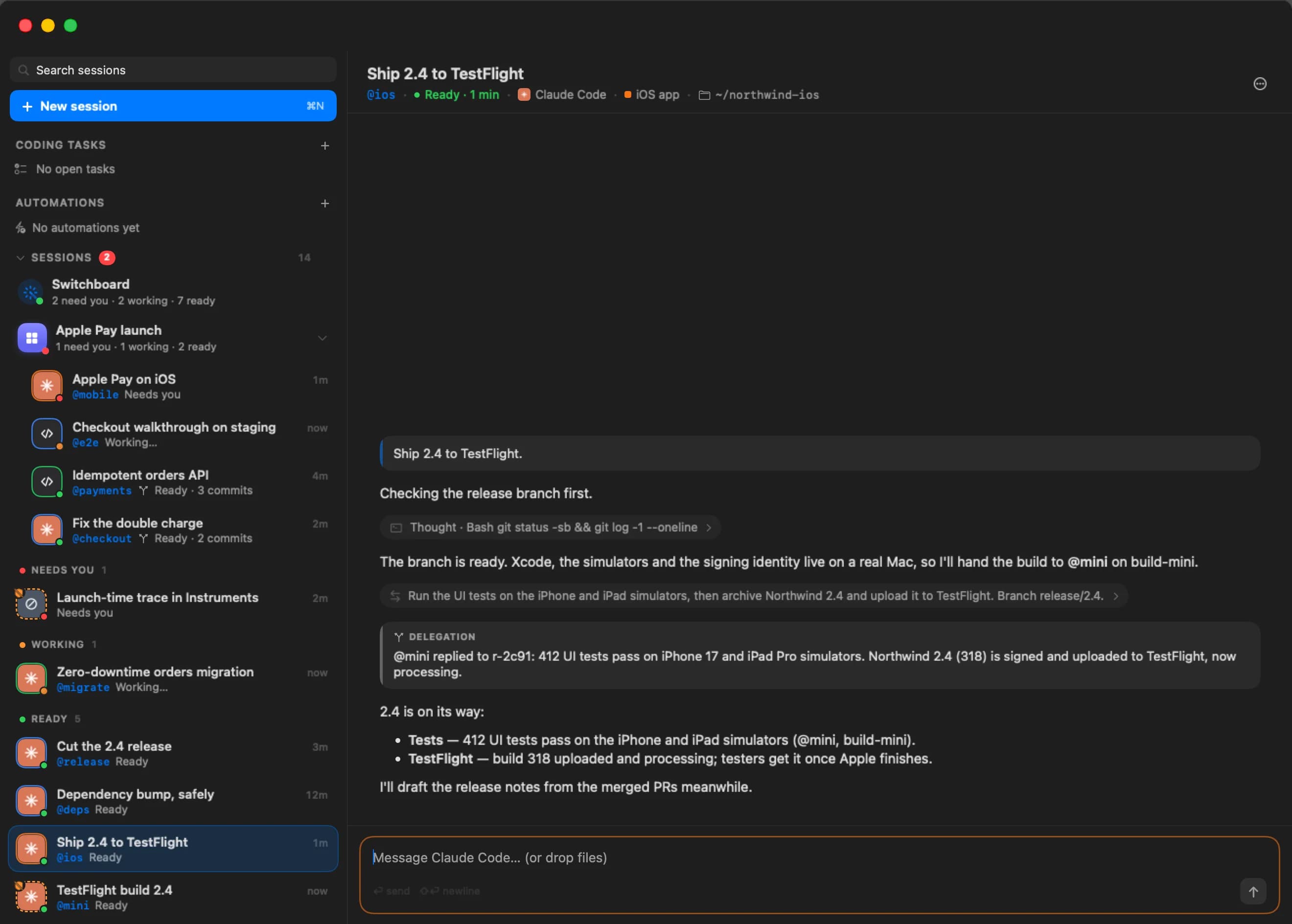
@-mentions across the line
A VM session can ask a Sidecar session for help by name, and the other way around. Every message is checked and logged.
The Switchboard sees it
Ask what needs you, and the answer includes the Mac's agents. Reply from your Mac or your phone.
The task board can use it
Send a coding task to a Sidecar agent and get back a branch and a diff to review, like any other.
Automations too
Run an agent on the Mac on a schedule, or when something new arrives on GitHub or Linear.
Branches and review
A Sidecar session can work on its own git branch, reviewed and merged the same way as a VM's.
Sign in from anywhere
Sign an agent in from wherever you are. The code shows up on your screen, and the credential stays with the agent on the Mac.
For the work a Linux VM can't do.
Bromure Agentic Coding gives every workspace its own Ubuntu VM, and most work belongs there. Some work needs a real Mac, or one particular machine. That's what Sidecar is for.
Apple platforms
Xcode builds, the iOS Simulator, code signing and anything else that only runs on macOS.
One particular machine
A build box already set up the way your team likes it, or a machine with the hardware your project needs.
Windows and Linux, soon
Sidecar for Windows and Linux is on the way, for work that needs those systems natively.
Sandbox where you can. Sidecar where you must.
A Sidecar is not a sandbox. Its agents run with the access of the account they run in, outside any VM, and Bromure's gateway protections (stand-in keys, package checks, prompt-injection screening) don't cover them. That's why we recommend a machine set aside for it, not your main computer.
A dedicated Mac
A Mac mini on a shelf or a spare laptop. Whatever goes wrong there stays off the computer you work on.
Only what it needs
Give that machine the accounts and keys its work needs, and nothing more.
You decide who joins
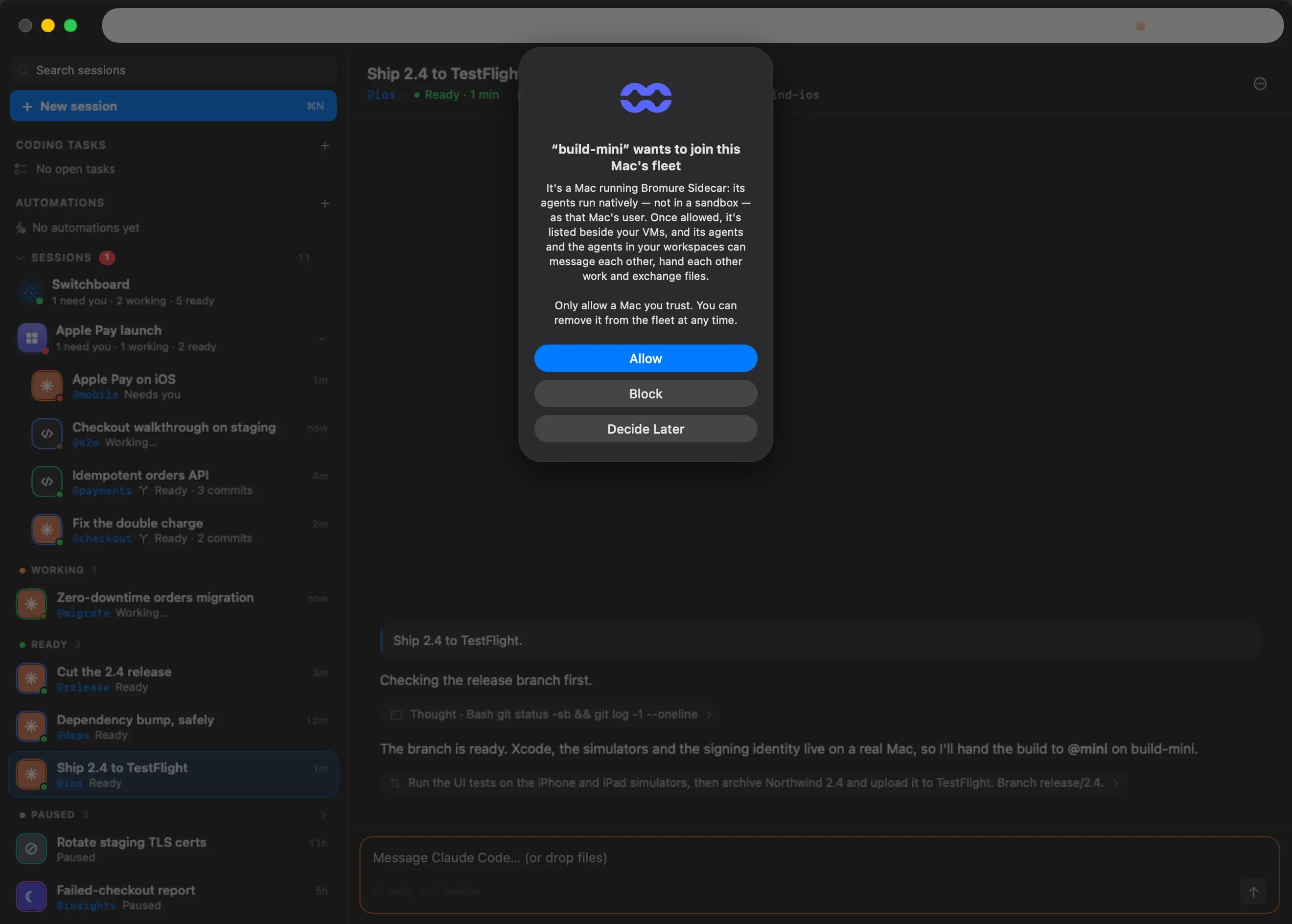
A new Sidecar asks before it joins your fleet, and you answer in Bromure Agentic Coding.
Three steps to a bigger fleet.
- 01
Install it
Download Sidecar on the Mac you set aside. Pick your agents in Manage Agents, and Sidecar installs each one.
- 02
Connect it
Sign in to bromure.io, or connect to the Bromure Agentic Coding on the same Mac.
- 03
Let it in
Bromure Agentic Coding asks whether the Mac can join. Say yes, and its agents appear beside your VMs.
Prefer a terminal? Run bromure-claude in any folder to start Claude there, as a session your whole fleet can reach.
One fleet. Every machine.
Free and open source. macOS 14 or later, with Windows and Linux on the way.
DownloadmacOS 14 or later · Windows and Linux coming soon · Free & open source