Local Models
The Local Models pane runs a coding model on your Mac itself — or on an inference server of your own — so a workspace's agents can answer entirely off the cloud, or fall back to a local model only when the cloud is unreachable. With the built-in engine the weights are Apple MLX builds and there is nothing to install beyond downloading a model; with a custom engine you point the workspace at any OpenAI-compatible server.
Everything on this page has a companion deep-dive: the on-device engine, the tool-call repair layer, the hybrid fallback policy, and the bromure-cli model and bromure-cli vm routing commands are all in Local Models. This page documents the settings pane.
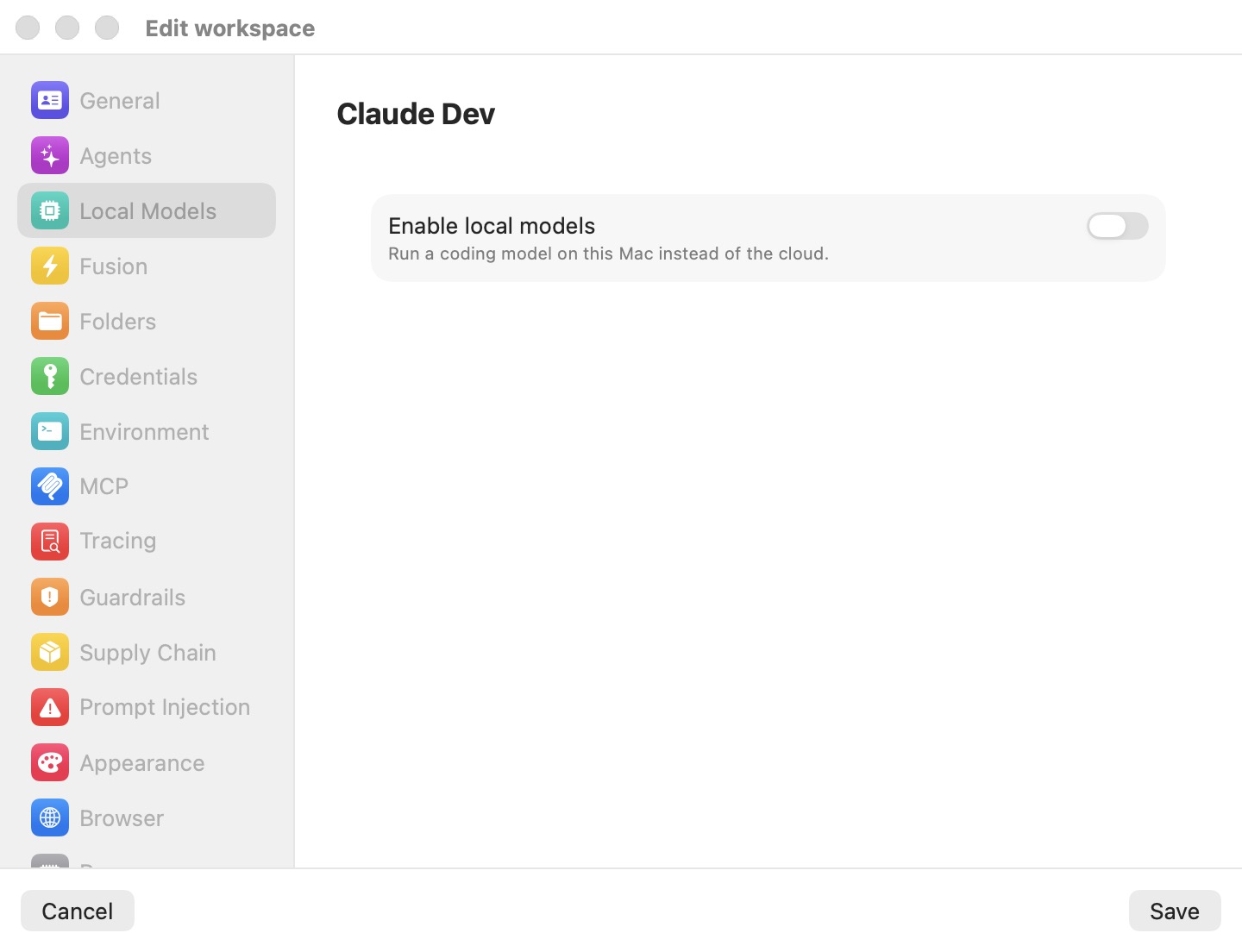
By default the pane shows a single switch — Enable local models — with everything else hidden. Turning it on reveals the routing mode and the model catalog described below.
Enable local models
The master switch, captioned Run a coding model on this Mac instead of the cloud., is the workspace's on/off for on-device inference:
- Off (default) — the workspace routes agent traffic to the cloud, exactly as if this pane did not exist.
- On — routing switches to on-device inference and the mode picker and model list appear. Turning it on defaults the mode to Local.
Because the workspace's agents run their LLM traffic through the local engine while this is on, enabling it pins every enabled agent's auth mode to Local model, and turning it back off restores each agent's previous mode. You do not have to touch the Agents pane by hand.
Engine
With local models enabled, an Engine radio decides where inference runs:
- Built-in — models run on this Mac. The bundled in-process MLX engine, and the default. The model catalog below applies.
- Custom server — your own vLLM, Ollama, …. Any OpenAI-compatible server, on this Mac or another machine. A Server URL field (e.g.
http://127.0.0.1:11434) and an optional API key appear, plus a Test Connection button that probes the server and reports Connected — N model(s) available or the server's real error. As the pane's footer puts it: agents keep speaking their native APIs; Bromure translates in between.
With a custom engine, the catalog is replaced by a Model section: a free-form Model id field (e.g. qwen3-coder:30b) plus the list of ids the server reports at /v1/models — test the connection to list them, and on Ollama pull the model first. The deep dive is Using your own engine.
Routing mode
With local models enabled, a radio picks how the workspace uses them. The two rows carry the pane's own footer descriptions:
| Mode | Behavior |
|---|---|
| Local — always on-device | Every request stays on this Mac — nothing leaves the machine. Replies are private but slower, and bounded by the model you can fit in memory. |
| Hybrid — cloud, fall back to local | Requests go to the cloud as usual, falling back to the on-device model only when the cloud is unreachable — cloud speed and quality with a local safety net. |
Hybrid's finer knobs — a rolling cloud token budget, a time-to-first-token deadline, and a proactive local/cloud split — are tuned from the command line (bromure-cli vm hybrid …) rather than this pane. They are documented in Local Models.
The model catalog
Below the mode picker, the list is headed Models · N GB unified memory, where N is your Mac's unified memory. Each row describes one curated MLX model:
- Active-model radio — the filled dot marks the single model this workspace serves. Selecting it here is also what flips enabled agents to Local model auth.
- Tier badge — a small
S/M/L/XLsize class. - Fit badge — how the model sits against your Mac's memory: Fits (green — comfortable headroom), Tight (orange — loads with little to spare), or Won't fit (greyed out; the row is disabled and cannot be selected). The pane's footer restates it: Greyed-out models need more memory than this Mac has.
- Download size — the on-disk weight size in GB.
- tools seal — a checkmark badge on models whose tool-calling has been verified for agent use.
The control at the end of each row reflects its download state:
| State | Control |
|---|---|
| Not downloaded | Download button (disabled when the model won't fit). |
| Downloading | A progress bar with a byte label and a stop (✕) button. |
| Interrupted (the app was killed mid-pull) | Interrupted, with a Resume button and a discard (trash) button. |
| Failed | A Retry button (hover for the error message). |
| Installed | Installed, with a menu offering Remove. |
Note: Downloads are immediate and global — a model you pull here lands in shared storage and becomes available to every workspace, not just this one. The routing mode and the active-model choice, by contrast, are per-workspace and take effect only when you click Save.
Combined-memory warning
The local models this workspace has selected — the active model, plus any agent set to Local model auth and any Fusion local leg or judge — load in parallel in one engine, so their memory requirements add up. When they approach your Mac's RAM, a warning appears above the list: orange when they are close to the host's memory, red when they exceed it. It states how much they need together and suggests you drop one or pick smaller models.
Settings reference
| Setting | Description |
|---|---|
| Enable local models | Master switch for local inference. On sets routing to Local; off restores Cloud. Default: off (Cloud). |
| Engine | Radio: Built-in (in-process MLX) / Custom server (OpenAI-compatible URL + optional API key, with Test Connection). Default: Built-in. |
| Model id (custom engine) | The server's own model id, typed or picked from its /v1/models list. |
| Mode | Radio: Local — always on-device / Hybrid — cloud, fall back to local. Default: Local when enabled. |
| Active model | Radio dot per row; the one model the workspace serves. Default: none — the first model you download is selected automatically. |
| Download / Installed / Remove | Per-model action. Immediate and global (shared across workspaces); not part of the Save transaction. |
Related chapters
- Local Models — the on-device engine, the model catalog and CLI, and the hybrid fallback policy in full.
- Agents — the per-agent Local model auth mode this pane keeps in step.
- Fusion — using a local model as a fuse leg or as the judge.