PII Protection
Coding agents send a lot to their model provider: file contents, logs, database rows, customer records pasted into a prompt. The PII Protection pane makes the proxy on your Mac replace the personal data in that traffic with realistic stand-ins before it leaves, and put the real values back in the replies. As the pane puts it: "The model provider never sees them; the agent and your files keep the real thing. Detection runs on-device with the built-in Rampart model."
The setting belongs to one machine (a workspace, in the settings editor). It is in the editor's Security group. The feature itself — how stand-ins are built, what is and isn't changed — is explained in PII Protection.
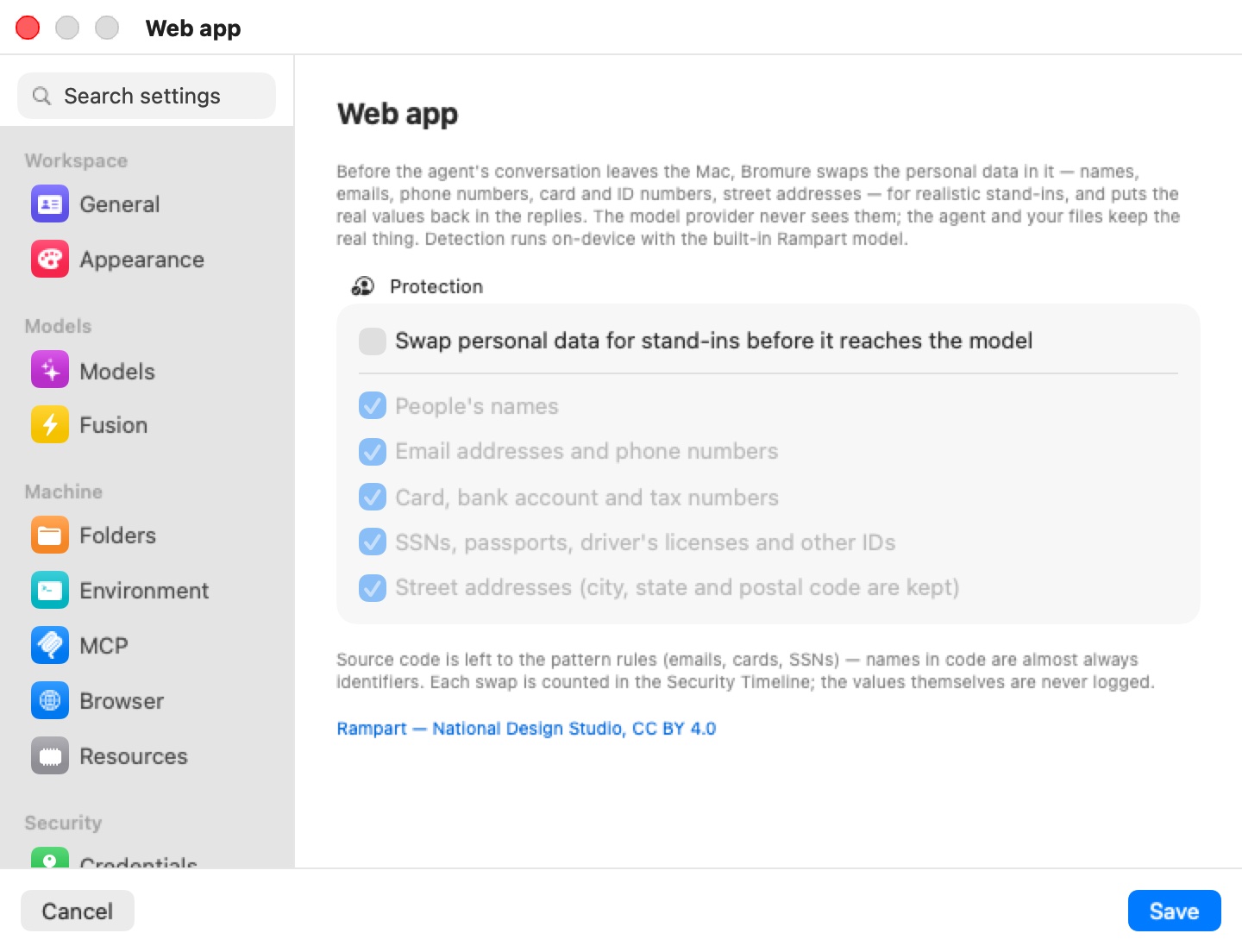
Protection
Swap personal data for stand-ins before it reaches the model turns the feature on for this machine. It is off by default.
Below it, five categories, all ticked by default and greyed out while the main switch is off:
| Category | Covers |
|---|---|
| People's names | Personal names. |
| Email addresses and phone numbers | Contact details. |
| Card, bank account and tax numbers | Payment cards, bank accounts, routing and tax numbers. |
| SSNs, passports, driver's licenses and other IDs | Government identifiers. |
| Street addresses (city, state and postal code are kept) | The street part of an address; city, state and postal code go through unchanged. |
Untick a category to let that kind of data through while keeping the others protected. With every category unticked, the feature does nothing even when the main switch is on.
The footnote: "Source code is left to the pattern rules (emails, cards, SSNs) — names in code are almost always identifiers. Each swap is counted in the Security Timeline; the values themselves are never logged." The last line credits the detection model: Rampart — National Design Studio, CC BY 4.0.
What happens when it's on
- Detection runs on your Mac. Nothing is sent anywhere to find personal data.
- Each value is replaced with a realistic stand-in of the same kind — a plausible name, an
@example.comaddress, a phone number in the same format, a test card number, an SSN starting with 9. The same value always gets the same stand-in on a given machine, so conversations stay consistent from turn to turn. - Replies are restored before the agent sees them — for the Anthropic, OpenAI (Chat Completions and Responses) and Gemini APIs, streamed or not — so the agent, your files, and your terminal keep the real values.
- Only the text of the conversation is changed. Signed or encrypted parts of a request — thinking blocks, signatures, encrypted reasoning — are never touched.
- Source code gets pattern rules only (emails, card numbers, SSNs); the name model isn't used on code.
When changes apply
The switch and the categories apply to a running machine as soon as you click Save; there is no restart.
The Rampart model ships with the app. If it isn't present when you tick the main switch, the app offers to download it (about 14 MB); if you decline or the download fails, the switch turns back off. In the iPhone, iPad and Vision Pro client, the switch only saves the setting — the Mac that runs the machine fetches the model.
Where swaps appear
Each request that had personal data swapped is recorded in the Security Timeline with the counts per kind — never the values. The Overview tab has a PII swapped tile, and the Timeline tab a PII protection filter.
Limits
- Detection is a model plus pattern rules, not a guarantee: data in an unusual format can be missed.
- Very large requests are only partly read by the model: past a per-request budget of new text, the rest gets the pattern rules only, and the Security Timeline shows a "partial — model budget reached; pattern rules only" row.
- Stand-ins are consistent per machine, not across machines.
Settings reference
| Setting | Type | Default |
|---|---|---|
| Swap personal data for stand-ins before it reaches the model | Checkbox | Off |
| People's names | Checkbox | On |
| Email addresses and phone numbers | Checkbox | On |
| Card, bank account and tax numbers | Checkbox | On |
| SSNs, passports, driver's licenses and other IDs | Checkbox | On |
| Street addresses (city, state and postal code are kept) | Checkbox | On |
Related chapters
- PII Protection — how swapping and restoring works, and which providers are covered.
- Prompt Injection — the other on-device scan of the agent's AI traffic.
- Security Overview & Timeline — the swap counts per request.
- Settings Reference — all panes at a glance.